

Why Do My Sony Headphones Keep Turning Off?
If your Sony headphones keep turning off unexpectedly, the most common reason is the Automatic Power Off feature or a triggered proximity sensor within the ear cups. This happens when the headphones believe they are no longer being worn, often due to a loose fit, software glitches, or a low battery.
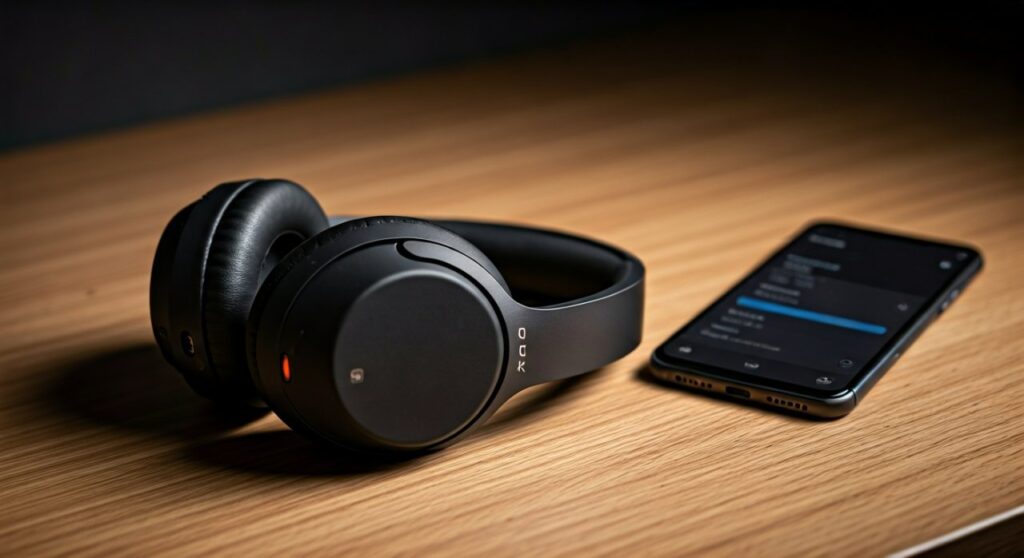
To fix this immediately, open the Sony | Headphones Connect app and disable the “Automatic Power Off” setting or the “Pauses when headphones are taken off” toggle. If the issue persists, it may be caused by outdated firmware, Bluetooth interference, or the Speak-to-Chat feature which pauses and shuts down audio when it detects your voice.
Key Takeaways: Troubleshooting Sony Power Issues
If you are in a rush, here is a quick checklist of the most effective solutions to stop your Sony headphones from shutting down:
- Check the App Settings: Disable the “Automatic Power Off” timer in the Sony | Headphones Connect app.
- Sensor Sensitivity: Clean the proximity sensor inside the left ear cup (common on WH-1000XM4 and WH-1000XM5).
- Battery Health: Ensure your device is charged above 20%. Voltage drops in aging batteries can cause sudden shutdowns.
- Firmware Updates: Always keep your software up to date via the official app to fix known stability bugs.
- Speak-to-Chat: Turn off this feature if your headphones turn off or pause every time you cough or hum.
- Reset/Initialize: Perform a factory reset if software glitches continue to interfere with power management.
Understanding Why Your Sony Headphones Keep Turning Off
It is incredibly frustrating when you are deep into a focus session or a workout and your audio cuts out. When why does my sony headphones keep turning off becomes a recurring question, it usually points toward a conflict between the hardware sensors and the power-saving software.
The Role of the Proximity Sensor
Modern Sony flagship models, such as the WH-1000XM4 and WH-1000XM5, use a small optical sensor inside the ear cup. This sensor detects if the headphones are on your head.
If the headphones shift slightly or if you are wearing a hat or glasses that create a gap, the sensor may lose contact. When this happens, the Sony headphones assume they have been removed and initiate the power-off sequence to save battery.
Automatic Power Off vs. Standby Mode
By default, Sony designs its products to be energy-efficient. The Automatic Power Off setting is designed to shut the device down after a specific period of inactivity.
However, many users find that this feature triggers even while they are listening to music if the motion sensors don’t detect enough movement. This is a common complaint similar to why do my jbl headphones keep turning off, where aggressive power-saving timers clash with user behavior.
Comparing Power Management: Sony vs. JBL
While Sony is a leader in ANC (Active Noise Canceling), other brands like JBL face similar power-cycling issues. Understanding how these brands manage power can help identify if your issue is a standard feature or a hardware defect.
| Feature | Sony (WH/WF Series) | JBL (Live/Tune Series) | |
|---|---|---|---|
| Primary Power Saver | Proximity Sensor & App Timer | Auto-Off Idle Timer | |
| Voice Detection | Speak-to-Chat (Pauses/Off) | VoiceAware (Ambient Monitoring) | |
| App Control | Sony | Headphones Connect | JBL Headphones App |
| Common Failure | Sensor obstruction/Software bug | Battery calibration/Bluetooth timeout | |
| Hard Reset Method | Power + Custom buttons (7 sec) | Volume Up + Volume Down (5 sec) |
If you have ever wondered why does my jbl headphones keep turning off, the answer is often found in the “Auto-off” setting within the JBL Headphones App, which functions similarly to Sony’s power-saving ecosystem.
Step-by-Step Fixes for Sony Headphones Powering Down
If you are tired of the constant shutdowns, follow these expert-verified steps to stabilize your connection.
Disable “Automatic Power Off” in the App
This is the “Silver Bullet” for 90% of users.
- Launch the Sony | Headphones Connect app on your smartphone.
- Navigate to the System tab.
- Locate the option “Automatic Power Off”.
- Change the setting to “Do not turn off”.
By selecting this, your headphones will stay on until you manually press the power button, regardless of whether the sensor detects your ears.
Turn Off the “Speak-to-Chat” Feature
The Speak-to-Chat feature is innovative but often oversensitive. It detects when you are speaking and pauses the music.
If it stays paused for too long, the auto-off timer may kick in and shut the device down. To disable it, use two fingers to tap and hold the right ear cup (on WH-1000XM4/XM5) until you hear “Speak-to-chat deactivated,” or toggle it off in the app’s Sound tab.
Clean the Proximity Sensor
The sensor is a small, rectangular glass-like window inside the left ear cup. Skin oils, sweat, or dust can smudge the sensor, making it “blind.”
- Use a dry, soft microfiber cloth.
- Gently wipe the sensor window inside the ear cup.
- Avoid using harsh chemicals or wet wipes, as moisture can damage the internal circuitry.
Check for Firmware Updates
Sony frequently releases patches to address stability issues. If your why does my sony headphones keep turning off issue is caused by a bug in the code, an update is the only permanent fix.
- Connect your headphones to your phone.
- Open the Sony | Headphones Connect app.
- A prompt will appear if an update is available.
- Ensure your headphones stay near the phone and do not turn them off during the transfer.
Advanced Troubleshooting: Battery and Hardware Issues
If the software settings are correct but your Sony headphones still die, you may be facing a hardware-level problem.
Battery Voltage Drops
Lithium-ion batteries degrade over time. If your headphones are more than 2-3 years old, the battery might suffer from voltage sagging.
When you play music at high volumes or use Active Noise Canceling (ANC), the power draw increases. If the battery cannot provide a steady voltage, the onboard controller will shut down the device to prevent hardware damage. This is a common reason why do my jbl headphones keep turning off as well, especially in older models.
Bluetooth Interference and Multi-point Connection
Sony’s Multi-point connection (connecting to two devices at once) is convenient but can be unstable. If one device sends a “stop” or “disconnect” command, the headphones might misinterpret it as a reason to power down.
- Try this: Disable “Connect to 2 devices simultaneously” in the app and see if the stability improves.
- Environment: Move away from high-interference areas like Wi-Fi routers or microwaves, which operate on the same 2.4GHz frequency as Bluetooth.
How to Perform a Factory Reset
When all else fails, a full initialization (factory reset) clears the cache and restores all settings to their original state.
For WH-1000XM4 and WH-1000XM5:
- Turn off the headphones and disconnect the USB cable.
- Press and hold the Power button and the Custom/ANC button simultaneously for about 7 seconds.
- The indicator light will flash blue four times.
- The device is now initialized. You will need to re-pair it with your phone.
Frequently Asked Questions (FAQs)
Why do my Sony headphones turn off when I cough or talk?
This is likely due to the Speak-to-Chat feature. It uses the microphones to detect your voice and automatically pauses the audio. If you don’t resume manual play, the headphones may eventually turn off based on your power-saving settings. You can disable this in the Sony | Headphones Connect app.
Why do my JBL headphones keep turning off compared to Sony?
If you find that why does my jbl headphones keep turning off is a similar problem you are facing, it is usually the Auto-off timer. JBL headphones often have a 10-minute or 30-minute idle timer. If no audio signal is detected (or if the volume on your source device is too low), the headphones shut down to save battery.
Can moisture cause my headphones to shut down?
Yes. If you use your Sony headphones for intense exercise, sweat can enter the ear cups and temporarily short-circuit the proximity sensor. If your headphones turn off during workouts, try wiping the interior of the cups and letting them air dry completely.
Does “Adaptive Sound Control” cause power-offs?
Adaptive Sound Control changes your noise-canceling settings based on your location. While it shouldn’t turn the power off entirely, the notification “beeps” and the switching process can sometimes cause a momentary drop in audio that feels like a shutdown.
Is my battery defective if it turns off at 30%?
Likely, yes. If your Sony headphones consistently turn off when the battery reaches a certain percentage (like 20% or 30%), it indicates a calibrated capacity error or a failing cell. A factory reset might recalibrate the software, but if the problem continues, the battery may need professional replacement.
Final Thoughts on Sony Power Issues
Solving the mystery of why do my sony headphones keep turning off usually comes down to mastering the Sony | Headphones Connect app. By disabling the Automatic Power Off and Speak-to-Chat features, you remove the most common software-based triggers for unexpected shutdowns.
If you have tried every software fix and the headphones still power down, consider the environment. Extreme cold can cause battery voltage to drop, while high humidity can interfere with sensors. Treating your headphones with care and keeping the firmware updated will ensure a long-lasting, uninterrupted listening experience.









