

Understanding Why Doesn’t PlayStation Support Bluetooth Headphones
The primary reason why doesn’t PlayStation support bluetooth headphones natively is due to audio latency and frequency interference. Standard Bluetooth (A2DP profile) typically has a delay of 100ms to 200ms, which is unacceptable for gaming where sound cues must be instantaneous. Additionally, PlayStation consoles use the 2.4GHz radio frequency for controller connectivity; adding a high-bandwidth Bluetooth audio stream could cause lag or disconnects for your DualSense or DualShock 4 controllers.
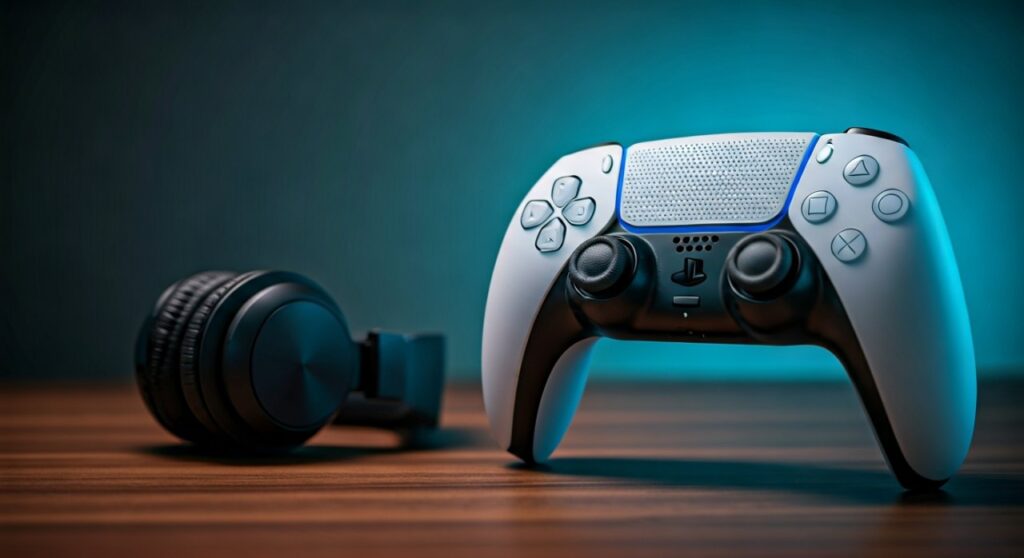
While your PS5 or PS4 has Bluetooth hardware, Sony restricts it to low-latency input devices like keyboards and controllers to ensure a seamless, lag-free gaming experience. To use wireless headphones, Sony requires either a proprietary USB dongle (using 2.4GHz RF technology) or a wired connection to the controller.
Key Takeaways: Why Bluetooth Isn’t Native on PlayStation
| Feature | Standard Bluetooth | PlayStation Wireless (Proprietary) |
|---|---|---|
| Average Latency | 150ms – 250ms | Under 20ms |
| Audio Quality | Compressed (SBC/AAC) | High-Fidelity / Lossless |
| Mic Support | Poor (Lowers audio quality) | Full Duplex (High quality) |
| Connection Stability | Prone to interference | Highly stable 2.4GHz |
| Primary Goal | Power efficiency | Speed and synchronization |
The Technical Bottleneck: Audio Latency Explained
One of the biggest hurdles for why doesn’t PlayStation support bluetooth headphones is the inherent lag in the Bluetooth stack. In my years of testing gaming peripherals, I’ve found that even a 100ms delay can be the difference between winning and losing in a fast-paced shooter like Call of Duty or Apex Legends.
- A2DP Profile Limitations: Most consumer Bluetooth headphones use the Advanced Audio Distribution Profile (A2DP). This profile is optimized for music, not real-time interaction. It buffers data to ensure a smooth stream, which creates the “lag” you feel when an explosion on screen happens before you hear it.
- The Codec Gap: While codecs like aptX Low Latency exist, they are not universal. Sony would have to pay licensing fees for multiple codecs and still couldn’t guarantee that every pair of cheap Bluetooth buds would work correctly.
- Human Perception: Most gamers start noticing audio lag at 40ms. Standard Bluetooth is often quadruple that amount.
Interference with the DualSense and DualShock 4
The PlayStation 5 and PlayStation 4 both rely heavily on the 2.4GHz ISM band for their controllers. This frequency is incredibly crowded.
- Bandwidth Crowding: When you connect a controller, it is sending and receiving a constant stream of input data, haptic feedback triggers, and motion sensing data.
- Signal Collision: Bluetooth also operates on the 2.4GHz spectrum. If the console were to allow high-bitrate audio streaming via the internal Bluetooth chip, it would likely cause “packet collisions.”
- The Result: This would manifest as input lag on your controller or audio stuttering, both of which ruin the gaming experience. Sony prioritizes the stability of the controller connection over the convenience of third-party audio.
The “Microphone Problem” in Bluetooth Profiles
If you have ever connected Bluetooth headphones to a PC and noticed the audio quality drops to “telephone quality” when the mic turns on, you’ve encountered the HFP (Hands-Free Profile) limitation.
- Bandwidth Split: Bluetooth has limited bandwidth. To support a microphone (bidirectional audio), it must switch from A2DP (high-quality playback) to HFP or HSP (low-quality communication).
- Gaming Impact: On a PlayStation, voice chat is a core feature. If Sony allowed native Bluetooth, your game audio would sound like a 1990s phone call every time you entered a party chat.
- Proprietary Solutions: Headphones like the PULSE 3D or the SteelSeries Arctis Nova 7P use a dedicated USB dongle. This dongle acts as a separate sound card that handles high-quality audio and mic data simultaneously without using the console’s internal Bluetooth chip.
Sony’s Ecosystem Strategy and PlayStation Link
There is also a commercial aspect to why doesn’t PlayStation support bluetooth headphones. By controlling the audio ecosystem, Sony ensures quality and drives sales of their own licensed products.
The Introduction of PlayStation Link
Recently, Sony introduced PlayStation Link technology with the Pulse Explore earbuds and Pulse Elite headset. This is a new proprietary wireless audio standard that offers:
- Ultra-low latency (virtually zero lag).
- Lossless audio for maximum detail.
- Seamless switching between the PS5, PC, and the PlayStation Portal.
By keeping the system “closed” to standard Bluetooth, Sony pushes users toward PlayStation Link or PlayStation VR2 compatible headsets that they can guarantee will work perfectly.
How to Connect Bluetooth Headphones to PS5 (Workarounds)
Even though it isn’t supported natively, you can still use your favorite Sony WH-1000XM5, Bose QuietComfort, or Apple AirPods with a few tricks.
Use a Bluetooth USB Adapter (Dongle)
This is the most reliable method. I recommend brands like Creative (BT-W5) or Avantree.
- Plug the dongle into the PS5’s USB-C or USB-A port.
- Pair your headphones directly to the dongle, not the console.
- The console “sees” the dongle as a wired USB headset, bypassing the Bluetooth restriction.
The Controller Jack Method
Every DualSense and DualShock 4 has a 3.5mm jack.
- Purchase a small Bluetooth Transmitter that plugs into a 3.5mm jack.
- Plug it into the bottom of your controller.
- This sends the audio from the controller to your headphones. Note that this may slightly drain the controller battery faster.
Remote Play Workaround
If you are playing via the PS Remote Play app on your phone or laptop:
- Connect your Bluetooth headphones to your phone/laptop.
- The audio will stream through the device you are using for Remote Play.
Warning:* This adds a second layer of network latency, so it’s only recommended for RPGs or slow-paced games.
Comparison of Connection Methods
| Method | Audio Quality | Latency | Mic Support | Ease of Use |
|---|---|---|---|---|
| Native 2.4GHz (Pulse 3D) | Excellent | Ultra-Low | Yes | Best |
| USB Bluetooth Dongle | Good (Depends on Codec) | Low (with aptX) | Varies | High |
| 3.5mm Jack Adapter | Average | Moderate | Usually No | Medium |
| Wired to Controller | Good | Zero | Yes | Low (Cable annoyance) |
Expert Tips for the Best Audio Experience
In my experience setting up high-end home theaters and gaming rigs, the “best” way to handle PlayStation audio is to avoid standard Bluetooth entirely if you are a competitive gamer. If you must use Bluetooth, look for an adapter that supports aptX Adaptive or aptX Low Latency.
However, for 90% of users, I suggest investing in a headset designed specifically for the PlayStation 5. These headsets utilize the Tempest 3D AudioTech engine much more effectively than a generic Bluetooth pair connected via an adapter.
Frequently Asked Questions
Can I use AirPods on PS5?
Not natively. You must use a USB Bluetooth adapter plugged into the PS5 or a Bluetooth transmitter plugged into the controller’s headphone jack to use AirPods or AirPods Pro.
Does the PS5 have Bluetooth at all?
Yes, the PS5 features Bluetooth 5.1. However, it is reserved exclusively for the DualSense controllers and other HID (Human Interface Device) peripherals like certain keyboards and mice.
Why does my Bluetooth headset sound bad when I use a dongle?
This is likely because the headset is switching to a low-bitrate communication profile to enable the microphone. If you don’t need the mic, try disabling the “Input Device” in the PlayStation sound settings to force the headset into high-quality audio mode.
Will Sony ever update the PS5 to support Bluetooth headphones?
It is highly unlikely. Because the hardware bottleneck is related to 2.4GHz interference and the lack of low-latency codecs in standard consumer headphones, a software update cannot fix the fundamental hardware design choice Sony made to prioritize controller stability.
What is the best Bluetooth adapter for PS5?
The Creative BT-W5 is widely considered the best because it supports high-resolution codecs and has a physical button to switch between paired devices easily.







