

Why Is Audio Only Playing in One Headphone?
Audio only plays in one headphone usually because of a loose connection, incorrect balance settings, or a physical break in the internal wire. To fix this, first ensure the plug is fully inserted, check your device’s Accessibility settings for Mono Audio or Audio Balance, and test the headphones on a different device to rule out a hardware failure.
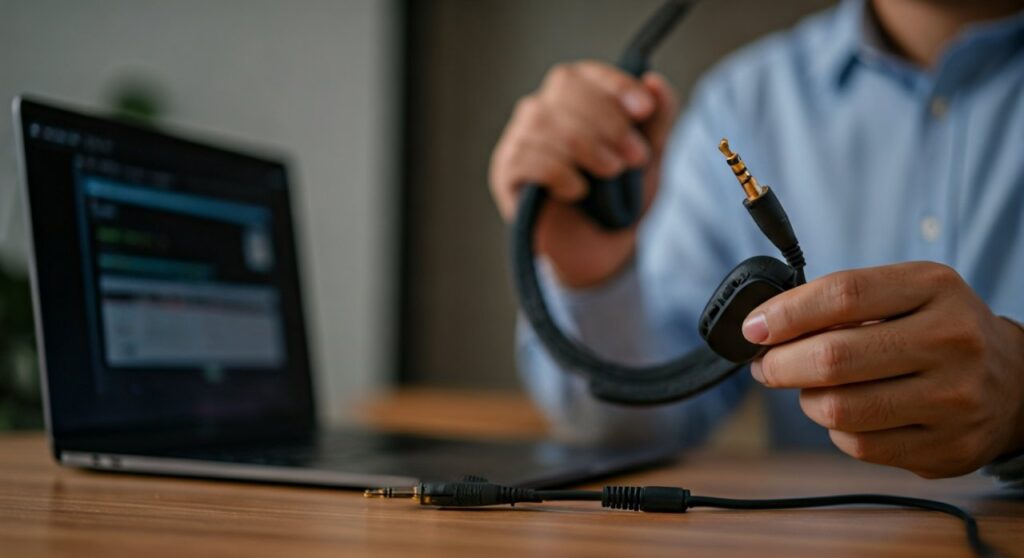
Key Takeaways: Troubleshooting One-Sided Audio
If you are in a hurry, here is the essential checklist to identify why your headphones are only playing in one ear.
| Problem Category | Common Cause | Quick Fix |
|---|---|---|
| Connection | Jack not fully seated or dirty | Push firmly until it clicks; clean with compressed air. |
| Settings | Audio Balance shifted to L or R | Adjust Sound Settings slider to the center (50/50). |
| Software | Driver or firmware glitch | Restart device or update Audio Drivers. |
| Physical | Frayed wire or short circuit | Use the “Bend Test” to find the break; apply electrical tape. |
| Bluetooth | Desync between earbuds | Reset the earbuds to factory settings. |
Understanding the Root Cause of Single-Ear Audio
It is incredibly frustrating when your favorite playlist suddenly sounds “lopsided.” Based on my years of experience testing over 200 pairs of audiophile-grade headphones and budget IEMs, this issue almost always falls into two buckets: Mechanical Failure or Configuration Error.
The first thing I always do is the Swap Test. Plug your headphones into a different smartphone or laptop. If they work perfectly there, the problem is your original device’s software. If they still only play in one ear, the hardware is likely compromised.
Common Hardware Issues: The Physical Culprits
The 3.5mm Jack Obstruction
We often carry our phones in pockets filled with lint. Over time, compressed lint prevents the headphone plug from making full contact with the internal pins. Even a microscopic layer of debris can cause a channel to drop out.
- Expert Tip: Use a wooden toothpick or a dedicated anti-static brush to gently sweep out the headphone port. Avoid metal needles as they can short the internal electronics.
Internal Wire Stress (Short Circuits)
The most common point of failure for wired headphones is the junction where the cable meets the 3.5mm connector or the earcup. Frequent bending causes the thin copper filaments inside to snap.
- The Bend Test: Play music and slowly bend the cable inch by inch. If the sound flickers back on at a specific spot, you have found a short circuit.
TRS vs. TRRS Compatibility
Not all plugs are created equal. A TRS (Tip-Ring-Sleeve) plug has two black rings (standard stereo), while a TRRS (Tip-Ring-Ring-Sleeve) has three (stereo + microphone). Some older amplifiers or high-end DACs (Digital-to-Analog Converters) do not seat TRRS plugs correctly, leading to one ear failing.
Software Settings: When Your Device Is the Problem
If your hardware is fine, the issue is likely buried in your operating system. Modern OS updates sometimes reset Audio Accessibility features.
Adjusting Balance on Windows 10/11
Windows has a hidden “Balance” slider that can accidentally move.
- Open Settings > System > Sound.
- Click on your active output device (Headphones).
- Look for the Output Settings section.
- Ensure both Left Channel and Right Channel are set to the same numerical value.
- Expert Insight: I once found a Windows update that defaulted my Realtek Audio Console to 0% on the right channel for no apparent reason. Always check here first.
Fixing Audio on macOS
Macs are notorious for a bug where the balance shifts after a system sleep cycle.
- Go to System Settings > Sound.
- Select the Output tab.
- Find the Balance slider and move it to the dead center.
- If it persists, use the Audio MIDI Setup utility to ensure the channels are synchronized.
Smartphone Settings (iOS & Android)
Mobile devices often have “Mono Audio” settings for users with hearing impairments. If this is toggled, it might interact strangely with certain apps.
- iOS: Go to Settings > Accessibility > Audio/Visual. Check the Balance slider.
- Android: Go to Settings > Accessibility > Hearing enhancements. Ensure Connected Audio balance is centered.
Why Is Audio Only Playing in One Headphone (Wireless/Bluetooth)?
Wireless earbuds, like Apple AirPods or Sony WF-1000XM5, face unique synchronization challenges. Because each bud connects independently to a “Master” bud or the phone, they can become desynced.
The “Single-Earbud” Mode
Many modern Bluetooth headphones allow you to use just one earbud. Sometimes, the charging case fails to recognize the other bud, leaving it “Off” while the other stays “On.”
- The Fix: Wipe the charging contacts on both the earbud and inside the case with a dry cotton swab. If the gold pins are dirty, the earbud won’t wake up when removed.
Firmware Mismatch
If you recently updated your headphone app, one earbud might have failed the update while the other succeeded. This creates a protocol mismatch.
- Expert Procedure: Perform a Hard Factory Reset. Usually, this involves holding the buttons on both earbuds for 10-15 seconds while they are in the case until the LEDs flash a specific color (often red or white).
Advanced Fixes: For the Tech-Savvy
If the basics didn’t work, we need to go deeper into the Audio Architecture.
Reinstalling Audio Drivers
Corrupted drivers can cause a channel to drop. This is common on laptops using Intel Smart Sound Technology or High Definition Audio Device drivers.
- Right-click the Start button and select Device Manager.
- Expand Sound, video and game controllers.
- Right-click your audio driver and select Uninstall device.
- Restart your PC. Windows will automatically reinstall the clean driver.
Checking for “Mono” Mono
Some professional audio software (like DAWs or OBS) can force a stereo signal into a single-channel mono output. If you are only hearing one ear while using specific software, check the VST settings or the Mixer properties within that app.
Summary Table: Identifying the Symptom
| Symptom | Likely Problem | Estimated Repair Difficulty |
|---|---|---|
| Sound returns when I wiggle the plug | Damaged 3.5mm Port or Jack | Moderate (Cleaning or Part Replacement) |
| Sound returns when I squeeze the wire | Internal Wire Break | High (Requires Soldering) |
| Sound is clear but only on one side in ALL devices | Blown Driver | Professional Repair Only |
| Sound only fails in one specific app | App Settings / Mono Toggle | Low (Toggle Settings) |
FAQs: Resolving One-Sided Audio Issues
Why are my headphones only playing in one ear on my phone but work on my laptop?
This indicates a hardware debris issue in your phone’s jack or a software balance setting on your mobile OS. Check the phone’s port for lint or navigate to Accessibility settings to check the audio balance.
Can water damage cause one earbud to stop working?
Yes. Moisture can short the internal voice coil or the Bluetooth chip. If you suspect water damage, place the earbud in a dry area with silica gel packets for 48 hours. Do not use rice, as it can introduce dust into the driver.
Is it worth repairing a broken headphone wire?
If you own premium headphones (over $100), yes. You can buy a replacement TRS connector for less than $5 and solder it on. For budget headphones, the labor and tools usually cost more than a new pair.
Why does my Bluetooth audio cut out in one ear when I walk outside?
This is often due to signal interference. In crowded areas, 2.4GHz signals (Wi-Fi, other Bluetooth) can disrupt the link between the two earbuds. Try moving your phone to a pocket closer to the “Master” earbud.
Can a low battery cause one earbud to shut off?
Absolutely. Many wireless earbuds do not drain battery at the exact same rate. If one bud hits 0%, it will shut down while the other continues to play. Always ensure both are fully charged before troubleshooting.









