

Why Won’t My Headphones Charge? The Immediate Answer
If your headphones won’t charge, the issue is most likely a faulty charging cable, debris inside the charging port, or a software glitch requiring a reset. In many cases, switching to a different USB wall adapter or cleaning the connection pins with 99% isopropyl alcohol resolves the problem instantly.
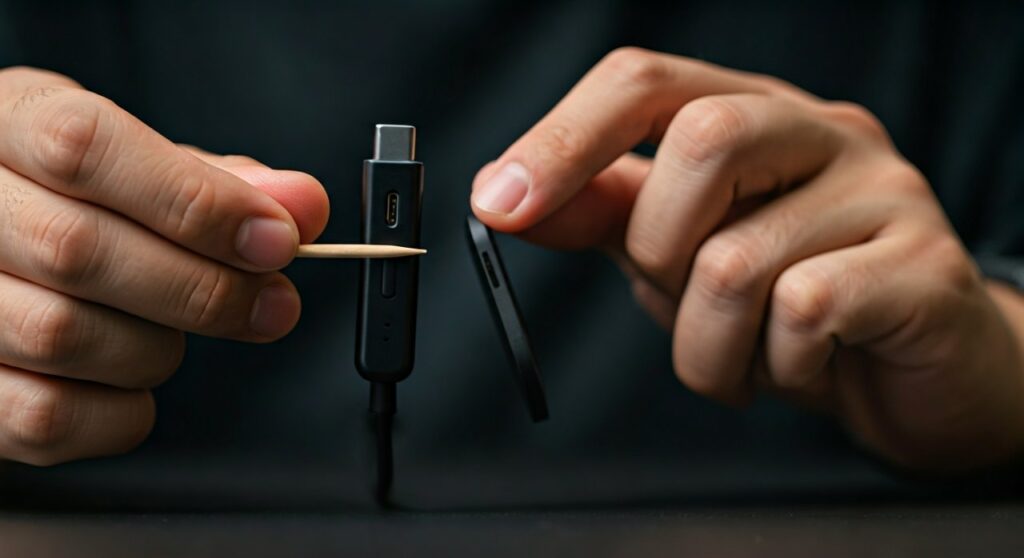
If you are asking why won’t my headphones charge after a long period of disuse, the Lithium-ion battery may have entered a “deep discharge” state. This requires leaving them plugged into a low-voltage power source (like a computer USB port) for several hours to “wake up” the battery.
Quick Troubleshooting: TL;DR Key Takeaways
Before diving into brand-specific fixes for JBL, Sony, or Bose, use this rapid-fire checklist to identify the culprit.
| Component | What to Check | Potential Solution |
|---|---|---|
| Charging Cable | Physical frays or bends | Swap with a known working USB-C or Micro-USB cable. |
| Power Source | Wall outlet or USB hub | Plug directly into a wall outlet, avoid unpowered USB hubs. |
| Charging Port | Dust, lint, or oxidation | Clean gently using a wooden toothpick and compressed air. |
| Temperature | Heat or extreme cold | Let headphones reach room temperature (20°C/68°F). |
| Firmware | Outdated software | Connect to the brand’s app to check for updates. |
Step 1: Inspecting Your Power Supply and Cables
One of the most common reasons why are my headphones not charging has nothing to do with the headphones themselves. It is often the delivery system.
Test the Charging Cable
USB cables, especially the thin ones bundled with Beats or JBL units, suffer from internal wire breakage. Even if the exterior looks fine, the internal copper strands may be snapped.
- Try a high-quality, third-party cable from brands like Anker or Belkin.
- Ensure the cable is pushed firmly into the port; sometimes “protective cases” on headphones prevent a flush connection.
Verify the Power Source
If you are charging via a laptop, the port might be in “sleep mode” or providing insufficient amperage.
- Switch to a dedicated UL-certified wall charger.
- Avoid using “Fast Chargers” designed for high-wattage smartphones unless your headphones specifically support Power Delivery (PD). Some older Sony headphones have protection circuits that reject high-wattage bricks.
Step 2: Deep Cleaning the Charging Port
If you carry your headphones in a backpack without a case, lint and debris are the primary reasons why wont my headphones charge.
How to Clean Safely
- Use Compressed Air: Blow short bursts into the port to dislodge loose dust.
- The Toothpick Method: Gently use a thin wooden or plastic toothpick to scrape the edges of the port. Never use metal needles as they can short the gold-plated pins.
- Chemical Cleaning: Dampen a small cotton swab with 99% isopropyl alcohol. Gently wipe the contact points. This removes oxidation that prevents electricity from flowing.
Step 3: Brand-Specific Fixes (JBL, Sony, Bose, Beats)
Different manufacturers use different charging logic and LED indicators. Here is a breakdown of brand-specific issues.
Why won’t my JBL headphones charge?
JBL headphones are known for their “Red Light” indicator. If the red light doesn’t appear when plugged in, the micro-USB or USB-C port may have become desoldered from the motherboard.
- Why are my JBL headphones not charging? It could be a “frozen” state. Try the “Power Reset”: Press and hold the Power and Volume Up buttons simultaneously for 20 seconds.
- Ensure the JBL signature orange cable isn’t the issue, as they are prone to pin-bending.
Why are my Sony headphones not charging?
Sony (specifically the WH-1000XM4 and XM5) has a strict temperature sensor. If the unit is too hot from use, it will refuse to charge to protect the battery.
- Why are my Sony headphones not charging? If the red light flashes and then turns off, it indicates a hardware protection trigger.
- Connect your headphones to the Sony Headphones Connect App. Occasionally, a pending firmware update prevents the charging logic from engaging.
Why won’t my Bose headphones charge?
Bose products, like the QuietComfort series, often suffer from “software lockout” where the battery percentage gets stuck.
- Why are my Bose headphones not charging? You likely need a “Communication Reset.” Plug the headphones into a computer via USB and go to the Bose BTU website (btu.bose.com). This forces the internal processor to handshake with the charging circuit.
- Why are my bose headphones not charging? Check the LED pattern. If it blinks amber/white, it indicates a system error that only a desktop firmware re-installation can fix.
Why are my Beats headphones not charging?
Beats (owned by Apple) utilize specialized power management chips.
- Why won’t my Beats headphones charge? Perform a hardware reset. For Beats Solo3, hold the Power and Volume Down buttons for 10 seconds until the Fuel Gauge flashes.
- For Beats Studio3, hold the Power button for 10 seconds.
- If Beats headphones are left dead for months, the Lithium-ion cells may drop below 2.0V, requiring a “trickle charge” from a low-power USB 2.0 port for up to 24 hours.
Step 4: Software and Firmware Resets
Sometimes the “brain” of your headphones is simply confused. A software crash can prevent the charging circuit from opening.
- Factory Reset: Refer to your manual to perform a hard factory reset. This clears the cache and restores default power management settings.
- Firmware Update: If your headphones have 10% battery left, try to run a firmware update immediately via their companion app. Manufacturers often release patches to improve battery calibration.
Step 5: Understanding Battery Health and Environment
Environment plays a massive role in why aren’t my headphones charging. Lithium-ion batteries are sensitive chemical components.
- Extreme Cold: If you’ve just come in from a winter walk, let the headphones sit for an hour. Charging a frozen battery can cause permanent “plating,” ruining the cell.
- Extreme Heat: If left in a car, the internal thermistor will block charging to prevent a fire.
- Deep Discharge: If you haven’t used your headphones in 6 months, the battery may be “sleeping.” It might take 30-60 minutes of being plugged in before you even see a charging light.
When is it a Hardware Failure?
If you have tried multiple cables, cleaned the ports, and performed a factory reset, you may be facing a physical failure.
- Broken Solder Joints: The port inside the headphones has snapped off the circuit board.
- Battery Swelling: If the casing of your headphones looks warped or “popped,” stop charging immediately. This is a fire hazard.
- End of Life: Most headphone batteries last 300 to 500 charge cycles. If you have used them daily for 3+ years, the battery may simply be dead.
Summary Table of Symptoms and Fixes
| Symptom | Likely Cause | Recommended Action |
|---|---|---|
| No LED light at all | Dead cable or dead port | Try a new cable; check port for lint. |
| Red light flashes then stops | Temperature error | Move to a room-temperature area. |
| Charges but dies in 10 mins | Battery degradation | Battery replacement required. |
| LED stays green but won’t turn on | Firmware crash | Perform a Hardware Reset (Hold Power + Vol). |
FAQ: Common Charging Questions
Why won’t my headphones charge even with a new cable?
Check the USB wall adapter. If the adapter doesn’t provide at least 5V/1A, it may not have enough “pressure” to push current into a depleted battery. Also, ensure the charging port isn’t physically loose.
Can I use my phone’s fast charger for my headphones?
While most modern headphones have protection circuits, it is safer to use a standard 5W adapter. Some older models of JBL and Bose do not support high-voltage handshake protocols and will simply refuse to charge to prevent damage.
Why are my headphones charging so slowly?
Slow charging is often caused by using a PC USB port (which usually outputs only 0.5A) or a cable with high internal resistance. Switch to a high-quality braided USB cable and a wall plug for faster speeds.
Why won’t my headphones charge to 100%?
This is often a calibration issue. Discharge the headphones completely until they turn off, then charge them uninterrupted for 6 hours. This “re-seats” the battery’s fuel gauge logic.
Is it okay to leave headphones charging overnight?
Most modern headphones from Sony, Apple, and Bose have overcharge protection. However, to maximize battery longevity, it is best to unplug them once they reach 100%.









