Choosing between headphones and speakers for Adobe After Effects depends on your specific task, but headphones are generally superior for precision editing and sound design, while studio monitors (speakers) are better for long-term comfort and final mix translation. For most motion designers, a hybrid approach—using headphones to catch subtle audio glitches and speakers to check the overall feel—is the professional standard.
Key Takeaways: Which Audio is Better Headphones or Speakers After Effects?
If you are looking for a quick decision, use the table below to identify which hardware fits your current project stage in After Effects.
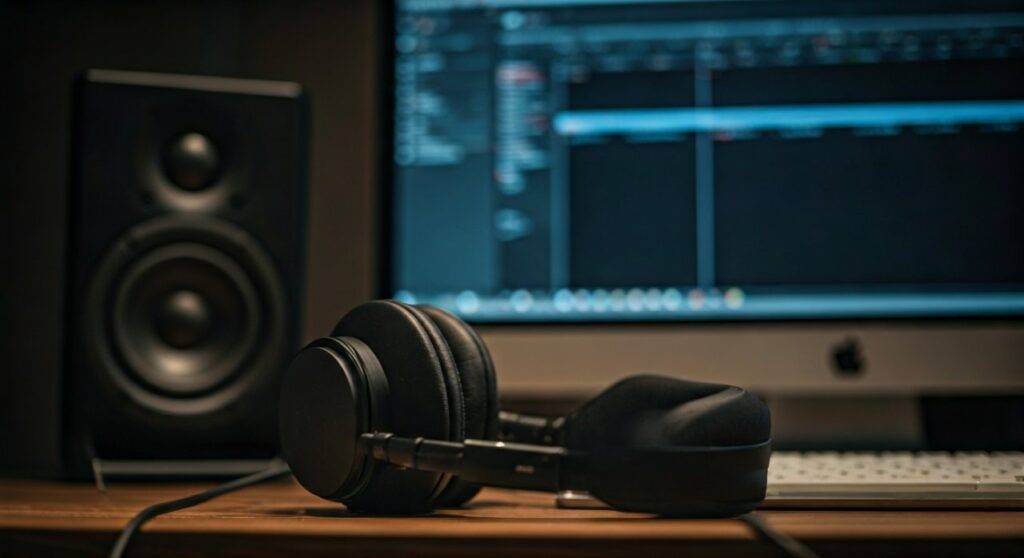
| Feature | Headphones | Studio Monitors (Speakers) |
|---|---|---|
| Precision | High (Catch clicks/pops easily) | Moderate (Room acoustics interfere) |
| Stereo Image | Internalized (Inside your head) | Realistic (Natural soundstage) |
| Ear Fatigue | High (Physical pressure) | Low (Breathable environment) |
| Best For | SFX placement, Audio cleaning | Final balancing, Long sessions |
| Price Point | Affordable for high quality | Expensive (Requires room treatment) |
The “After Effects” Audio Dilemma: Why Your Choice Matters
Motion designers often treat audio as an afterthought, but After Effects users face unique challenges. Unlike a Dedicated Audio Workstation (DAW), After Effects handles audio through RAM previews, which can lead to sync issues.
The question of which audio is better headphones or speakers After Effects becomes critical when you are trying to sync keyframes to a beat. If your audio monitoring is inaccurate, your motion will look “floaty” or slightly off-beat when viewed on other devices.
From my experience working on high-end commercial spots, I have found that headphones provide an “under the microscope” view. This is essential when you are using the Audio Spectrum effect or manual keyframing to ensure every pulse matches the waveform exactly.
Why Headphones are the Precision Choice for Motion Designers
For the majority of After Effects tasks, headphones offer a technical advantage that speakers cannot match without a multi-thousand-dollar room setup.
Eliminating Room Acoustics
When you use speakers, you aren’t just hearing the audio; you are hearing the sound bounce off your walls, desk, and ceiling. Headphones bypass your room entirely. This allows you to hear the “true” sound of your layers without acoustic distortion.
Micro-Detail Detection
In After Effects, you might be layering dozens of sound effects (SFX). Headphones make it significantly easier to hear:
- Background hiss in a voiceover track.
- Tiny pops at the beginning or end of an audio clip.
- Subtle reverb tails that might muddy your mix.
Focus and Isolation
If you work in a noisy office or a home environment, closed-back headphones provide the isolation needed to focus on rhythmic timing. This is vital when performing RAM Previews where every millisecond of lag or external noise can break your creative flow.
The Case for Studio Monitors (Speakers) in Your Workflow
While headphones win on precision, studio monitors are the gold standard for the final phase of production.
Realistic Soundstage
Sound from speakers mixes in the air before hitting your ears. This mimics how your audience will actually hear the project on a TV or in a theater. If you mix exclusively on headphones, your stereo image might feel too wide or “disjointed” when played back on real speakers.
Reduced Ear Fatigue
Working in After Effects for 8-10 hours is taxing. Constant pressure on your ears from headphones can cause physical discomfort and “tinnitus-like” fatigue. Speakers allow your ears to breathe, making them the healthier choice for long compositing sessions.
Better Frequency Perception
Low-end frequencies (bass) are felt as much as they are heard. Small headphones often struggle to represent the “thump” of a bass drop accurately. High-quality studio monitors like the Yamaha HS5 or KRK Rokit series provide a physical representation of sound that helps you time heavy visual impacts better.
Technical Setup: Optimizing After Effects Audio Hardware
Regardless of your choice, your hardware must be configured correctly within Adobe After Effects to prevent lag.
Step-by-Step Audio Configuration
- Navigate to Edit > Preferences > Audio Hardware.
- Set your Device Class to ASIO if you are using an audio interface (like a Focusrite Scarlett).
- Ensure your Default Output matches your intended device (Headphones or Speakers).
- Set your Buffer Size to 512 or 1024 for stable playback during heavy renders.
- Check that your Sample Rate (usually 48kHz) matches your footage settings.
Expert Tip: The Sample Rate Trap
Many After Effects users experience “chipmunk” or “slow-mo” audio because their Windows/Mac system settings are at 44.1kHz while their project is at 48kHz. Always sync these values in your Audio Hardware preferences to ensure perfect pitch.
Recommended Audio Gear for After Effects Users
If you are building your motion design studio, these are the industry-standard tools that offer the best value for After Effects workflows.
Top Headphone Recommendations
- Sennheiser HD 600 (Open-Back): My personal favorite for long hours. They offer a very flat frequency response and a natural sound.
- Beyerdynamic DT 770 Pro (Closed-Back): The industry standard for isolation. Great if you work in a loud environment.
- Audio-Technica ATH-M50x: Extremely popular for its punchy sound and durability.
Top Studio Monitor Recommendations
- Yamaha HS5: Known for their “flat” sound. If it sounds good on these, it will sound good everywhere.
- PreSonus Eris E5: A fantastic budget-friendly entry into professional audio monitoring.
- Genelec 8010A: Ultra-compact but incredibly accurate—perfect for small desks and mobile setups.
The Hybrid Workflow: The Professional Secret
The most successful motion designers don’t choose one over the other. They use a Hybrid Monitoring Strategy:
- Phase 1 (Setup & SFX): Use Headphones to clean audio tracks and precisely align keyframes to the waveform.
- Phase 2 (Composition): Switch to Speakers while doing heavy visual work (masking, tracking) to keep your ears fresh.
- Phase 3 (Final Review): Use Speakers to check the “energy” of the piece, then do a final “sanity check” with Headphones to ensure no clicks were missed.
Frequently Asked Questions (FAQ)
Can I use Bluetooth headphones for After Effects?
It is highly discouraged. Bluetooth headphones introduce significant latency (delay), making it impossible to accurately sync visuals to audio. Always use a wired connection for professional work.
Do I need an external DAC/Interface?
While a computer’s built-in jack works, an external Audio Interface (like a Focusrite Scarlett 2i2) provides cleaner power to your headphones and speakers, reducing background static.
Why does my audio sound distorted in After Effects but fine in Premiere?
After Effects is not a real-time playback engine. If your RAM Preview hasn’t fully cached, the audio will stutter. Ensure you have enough RAM (at least 32GB) and that your Preview Panel is set to “Play from Current Time.”
Are “Gaming Headsets” good for After Effects?
Generally, no. Gaming headsets often boost the bass artificially, which can mislead you during the mixing process. For After Effects, you want “Studio” or “Reference” gear that provides an uncolored, flat sound.
How do I fix audio sync issues in After Effects?
Go to Preferences > Audio Hardware and try increasing your Buffer Size. Also, ensure your Composition Frame Rate (e.g., 23.976 or 29.97) matches your source footage exactly.
**
**
**
**
Shopping for a speaker? Read the best portable speakers of 2024.