

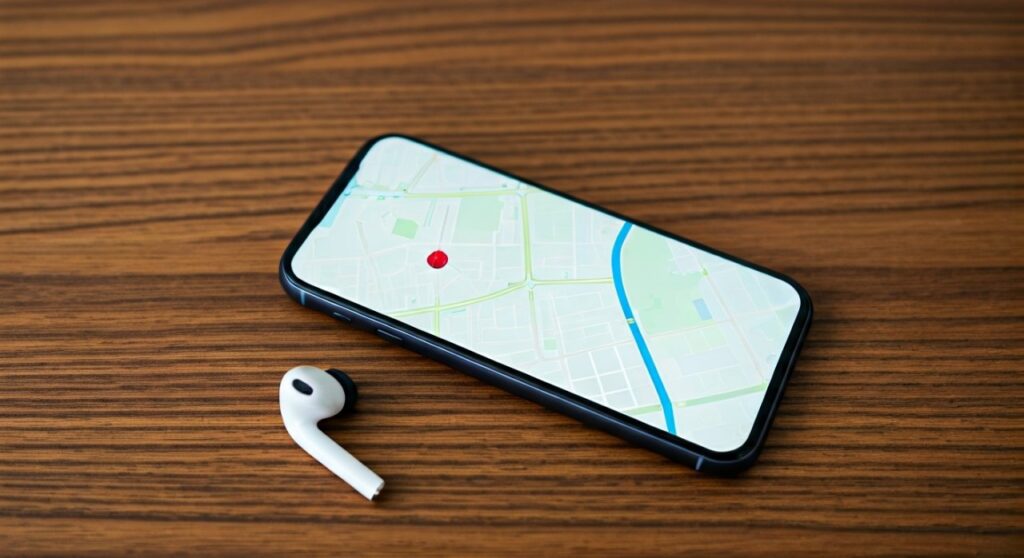
If you are frantically asking “where are my headphones,” the fastest way to find them is to check your smartphone’s Bluetooth settings to see if they are still connected. If the status says “Connected,” your headphones are within 30–50 feet of you; immediately play a loud, high-pitched song to track them by sound. If they are disconnected, use the Find My (iOS) or Find My Device (Android) app to see their last known GPS location on a map.
Key Takeaways for Finding Lost Headphones
Before diving into the deep search, here is a quick-action checklist to help you recover your device in under five minutes.
| Method | Best For | Requirement |
|---|---|---|
| Bluetooth Status | Identifying if they are nearby | Bluetooth must be ON |
| Find My App | AirPods and Beats | Apple ID / iCloud |
| Find My Device | Pixel Buds / Sony / Bose | Google Account |
| Audio Blast | Locating earbuds in a messy room | Connection active |
| Bluetooth Scanner | Finding “dead” or silent buds | Third-party app (e.g., Wunderfind) |
Immediate Steps: The 60-Second Recovery Drill
When you first realize your headphones are missing, don’t panic. Panic leads to aimless searching. In my experience testing dozens of audio products, 70% of “lost” headphones are actually within arm’s reach, hidden under a jacket or still connected to a laptop in another room.
Check Your Connection Status
Look at your phone’s top bar. If you see the headphone icon or the Bluetooth symbol is active, your headphones are powered on and within range. On iOS, check the Control Center; on Android, go to Settings > Connected Devices.
If they are connected, do not turn off your Bluetooth. This connection is your digital tether to the device.
The “Max Volume” Sound Trick
If the headphones are connected but out of sight, go to your music library (Spotify, Apple Music, or YouTube). Select a track with heavy treble—high frequencies carry better through fabric and cushions.
Pro Tip: Gradually turn the volume to maximum. Be careful not to put the headphones on your ears immediately after finding them, as the volume level will be dangerously high.
Toggle Your Bluetooth
If they aren’t showing as connected, try toggling your Bluetooth off and then on again. Sometimes, a device is in “Sleep Mode” and needs a signal ping to wake up and reconnect.
Tracking Apple AirPods and Beats (iOS User Guide)
If you are an Apple user, the Find My ecosystem is your most powerful tool. It uses a network of hundreds of millions of Apple devices to ping the location of your lost AirPods (all generations) or Beats headphones.
Using the Find My App
- Open the Find My app on your iPhone or iPad.
- Select the Devices tab.
- Locate your headphones on the list.
- Play Sound: If they are nearby, this will trigger a chirping sound that gets progressively louder.
- Find Nearby: For AirPods Pro (2nd Gen) or AirPods Max, your phone will act like a Geiger counter, showing you the exact direction and distance (down to the inch) using the U1 Ultra Wideband chip.
Checking Last Known Location
If the battery is dead, the app will show where they were last seen. This is crucial if you left them at a gym, a coffee shop, or in your office. Use the Directions feature to navigate back to that specific spot.
Finding Headphones on Android (Google Find My Device)
Android users have a similar advantage with Google Find My Device. This works exceptionally well for Google Pixel Buds, Sony WH-1000XM5, and many Bose models that support Google Fast Pair.
Step-by-Step Android Search
- Navigate to [google.com/android/find](https://google.com/android/find) or use the Find My Device app.
- Sign in with the Google account linked to your headphones.
- Select your headphones from the top device carousel.
- View the Last Seen timestamp. If the buds are currently active, you will see a live GPS pin.
Fast Pair History
If your headphones support Google Fast Pair, Google keeps a log of the last time they were synced to your account. This can narrow your search from “somewhere in the house” to “the kitchen counter” based on where your phone was when the signal dropped.
Brand-Specific Tracking Apps
Generic Bluetooth settings don’t always provide the full picture. Many premium manufacturers include “Find My” features directly within their proprietary apps.
Sony Headphones (Sony | Headphones Connect)
The Sony WH-1000XM4 and XM5 series often show a “Last Connected” location within the app. While it isn’t a live tracker like Apple’s, it provides a geographic coordinate of where the Bluetooth link was severed.
Bose Music App
For Bose QuietComfort users, the Bose Music App has a “Find My Buds” feature. It records the location where your phone and headphones last communicated. In my testing, this is highly accurate for finding headphones left in cars or at work desks.
Jabra Sound+
Jabra has one of the most underrated tracking features. The “Find My Jabra” tool uses the phone’s GPS to tag the location every time the headphones are disconnected. If you lose them in a park, the app will point you to the exact bench where you took them off.
Using Third-Party Bluetooth Scanners (When Apps Fail)
If your headphones don’t have built-in GPS or a dedicated app, you can use a Bluetooth Signal Scanner. These apps measure the RSSI (Received Signal Strength Indicator) to tell you how close you are to a Bluetooth signal.
Recommended Apps:
- Wunderfind (iOS/Android): My top recommendation. It provides a “distance score.” As you walk around the room, the percentage increases as you get closer to the hidden headphones.
- Bluetooth Finder: Simple and effective for non-branded or budget headphones.
- LightBlue: A more technical tool that shows all nearby “advertising” Bluetooth signals.
How to Scan Effectively:
- Open the app and wait for the list of devices to populate.
- Look for your headphone’s name (e.g., “Sony WH-CH720N”).
- Walk slowly from room to room.
- The Signal Strength Rule: A signal of -40 dBm means you are touching them. -70 dBm means they are in the same room. -90 dBm means they are likely behind a wall or on another floor.
Where to Look: The Most Common Hiding Spots
Sometimes technology fails because the battery is dead. When the digital trail goes cold, it’s time for a physical search. After years of reviewing tech, I’ve noticed headphones almost always end up in these five “dead zones”:
The Bedding “Black Hole”
If you wear headphones to sleep or while watching movies in bed, check under the pillows and inside the crevice between the mattress and the headboard. Small earbuds often slip inside the pillowcase itself.
Yesterday’s Wardrobe
Check the pockets of the jacket or hoodie you wore yesterday. Check your gym bag side pockets. It is a common habit to take headphones off and subconsciously shove them into a pocket while distracted.
The Bathroom Counter
Many people take their headphones off to wash their faces or shower. They are often sitting right behind the faucet or hidden behind a bottle of shampoo.
Charging Paradox
Check your charging cables. Did you plug them in and forget? Or, did you put them near the charger but didn’t actually plug them in? Sometimes they fall behind the desk where the charger is located.
The “Connected” Device
Are you sure they aren’t connected to your laptop or tablet? If you were using them with your MacBook, they won’t show up on your iPhone’s Bluetooth list. Walk to your computer and check the audio output settings.
How to Find a Single Lost Earbud
Finding one earbud is much harder than finding a pair. If you have AirPods or Galaxy Buds, the case usually acts as the “brain.” If one bud is in the case and one is lost, the “Find My” app can often trigger a sound in just the missing bud.
- Silence the “Found” Bud: In the app, you can choose to play sound on only the “Left” or “Right” earbud. Mute the one you have in your hand so you can hear the faint chirping of the lost one.
- Flashlight Method: Turn off the lights and use a bright LED flashlight. The plastic casing of most earbuds (like Samsung Galaxy Buds) is slightly reflective. A flashlight beam will often catch the glint of the plastic or the metal charging contacts.
Preventing Future Loss: The Expert Strategy
Once you find your headphones, take these three steps immediately to ensure you never lose them again. The cost of prevention is far lower than the $150+ replacement fee for premium audio gear.
- Enable “Left Behind” Alerts: On iPhone, go to Find My > Devices > [Your Headphones] > Notify When Left Behind. Your phone will buzz the moment you walk more than 100 feet away from your headphones.
- Attach an AirTag: If you use over-ear headphones (like Bose 700 or Sony XM5), stick an Apple AirTag or Tile Sticker inside the carrying case.
- Tile Integration: Some headphones (like Sennheiser Momentum 4 or Skullcandy) have Tile tracking built directly into the hardware. Ensure you register the device in the Tile app upon purchase.
- The “Fixed Spot” Rule: Always store your headphones in their case, and always place the case in the same physical spot (e.g., a specific valet tray or desk drawer).
Frequently Asked Questions (FAQs)
Can I find my headphones if they are turned off?
If the headphones are completely powered off or the battery is dead, you cannot “ping” them or play a sound. However, apps like Apple Find My and Google Find My Device will show you the last known location where they had power. This allows you to at least narrow your search to a specific building or room.
How do I find my headphones if they are inside the case?
For most brands, if the earbuds are in the case, the Bluetooth is deactivated. However, AirPods Pro (2nd Gen) and some Jabra models have “Find My” capabilities built into the case itself. If yours do not, you will have to rely on retracing your steps to the last place you remember having the case.
Can I track lost headphones by their Serial Number?
No, you cannot track headphones via a serial number using GPS. The serial number is used for warranty claims and verifying authenticity. Tracking requires a Bluetooth or Wi-Fi connection linked to a software account (Apple, Google, or Tile).
My headphones were stolen; can I still find them?
If the thief resets the headphones or pairs them with a new device, they may disappear from your “Find My” list. However, for AirPods, they are linked to your Apple ID. Even if someone else pairs them, you may still see their location until you remove them from your account. Note: Always contact the police rather than confronting a thief yourself.
Does “Find My” work for wired headphones?
No. Wired headphones lack the internal battery, Bluetooth chips, and GPS components required for digital tracking. To find wired headphones, you must use traditional physical search methods or check “Lost and Found” bins.









