

Understanding Why Hearing Aids and Bluetooth Headphones Don’t Connect Directly
To answer the most pressing question: No, hearing aids cannot connect directly to Bluetooth headphones because both devices are designed as “receivers” (sinks) of an audio signal, rather than “transmitters” (sources). To hear audio from your headphones through your hearing aids, you must use a smartphone, tablet, or Bluetooth transmitter as an intermediary bridge to manage the connection.
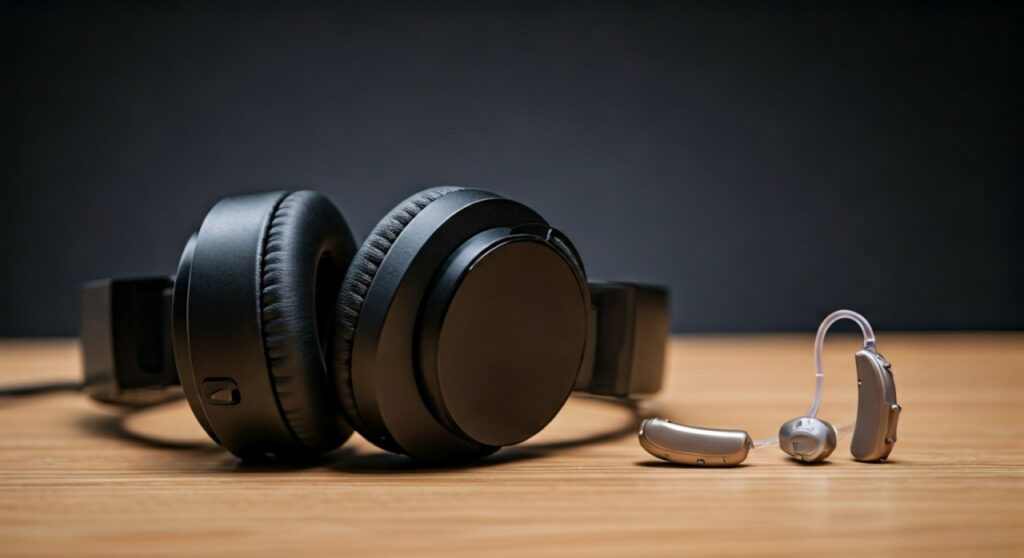
While it might seem intuitive to link two wireless audio devices, the current architecture of Bluetooth Classic and Low Energy (LE) requires a “Master” device (like a phone) to send data to a “Slave” device (like headphones). Since neither your Phonak hearing aids nor your Sony headphones have the hardware to act as a master source, they simply cannot “talk” to each other. However, modern technology offers several sophisticated workarounds that provide an even better listening experience.
Key Takeaways: Connecting Hearing Aids to Audio Gear
If you are looking for a quick summary of how to manage your audio setup, here are the essential facts:
- Direct Link Impossible: You cannot pair hearing aids to headphones directly; both are output devices.
- The Smartphone Bridge: Your iPhone or Android device acts as the central hub, sending audio to your hearing aids via MFi (Made for iPhone) or ASHA (Audio Streaming for Hearing Aids) protocols.
- Bone Conduction: This is the “gold standard” alternative for hearing aid users who want to keep their aids in while listening to music.
- Auracast is the Future: The upcoming Bluetooth LE Audio standard will eventually allow multiple devices to subscribe to a single audio broadcast.
The Technical Reason: Why They Can’t “Talk” Directly
To understand the limitation, we have to look at how Bluetooth protocols work. In the world of wireless audio, devices are categorized into two roles:
- Source (Transmitter): Devices like smartphones, computers, and televisions that “broadcast” the digital audio signal.
- Sink (Receiver): Devices like hearing aids, Bluetooth headphones, and wireless speakers that “catch” the signal and turn it into sound.
Because both hearing aids and Bluetooth headphones are programmed strictly as “Sinks,” they are both waiting for a “Source” to tell them what to do. Having them attempt to connect is like two people holding telephone receivers to their ears and waiting for the other to start dialing; without a central exchange, no connection happens.
How to Use Hearing Aids and Headphones Together
Even though a direct digital connection is off the table, there are three primary ways to enjoy high-fidelity audio while still utilizing the amplification of your hearing aids.
The “Physical Overlay” Method
This is the simplest approach. If you have Behind-the-Ear (BTE) or Receiver-in-Canal (RIC) hearing aids, you can wear large, circumaural (over-the-ear) headphones.
- How it works: The headphone cushions sit around your ear, not on it. The sound is captured by the hearing aid microphones and processed normally.
- Pro Tip: Look for headphones with deep ear cups to avoid “feedback” (that annoying whistling sound) caused by the headphone speaker being too close to the hearing aid microphone.
- Top Models: The Bose QuietComfort and Sony WH-1000XM5 are favorites among audiologists for this purpose due to their excellent noise cancellation and spacious cups.
Utilizing Bone Conduction Technology
Bone conduction headphones (like those made by Shokz) are a revolutionary tool for hearing aid users. These headphones sit on your cheekbones, just in front of your ears.
- Why it works: They bypass the outer and middle ear by sending vibrations directly through the skull to the cochlea.
- Benefit: Since they leave the ear canal completely open, you can keep your hearing aids in your ears to hear ambient conversation while the headphones provide your music or podcasts.
Dedicated Bluetooth Streamers
If your goal is to hear the TV or a computer more clearly, manufacturers like Oticon, Starkey, and ReSound offer proprietary TV Streamers.
- Mechanism: These boxes plug into the “Audio Out” port of your TV and act as a dedicated “Source.”
- Direct Streaming: They bypass headphones entirely and stream the audio directly into your hearing aids with near-zero latency.
Comparing Audio Solutions for Hearing Aid Users
| Solution | Direct Connection? | Best Use Case | Sound Quality |
|---|---|---|---|
| Direct Pairing | No | N/A | N/A |
| Over-Ear Headphones | Physical Only | High-fidelity music | Excellent (via HA mics) |
| Bone Conduction | No (Parallel) | Exercise/Office use | Good (Bypasses HA) |
| Bluetooth Streamers | Yes (via Accessory) | TV and Desktop PCs | Superior (Direct to HA) |
| Smartphone Bridge | Yes (Software) | Mobile calls/Music | Excellent (Direct to HA) |
Step-by-Step: Connecting Your Hearing Aids to a Bluetooth “Source”
If you want to stream music directly to your aids (effectively using them as headphones), follow these steps based on your device type.
For iPhone Users (MFi)
- Navigate to Settings > Accessibility.
- Scroll down and select Hearing Devices.
- Put your hearing aids in “pairing mode” (usually by opening and closing the battery doors or restarting them).
- Select your hearing aids when they appear under MFi Hearing Devices.
- Now, any audio played on your iPhone (Spotify, YouTube, etc.) will stream directly to your ears.
For Android Users (ASHA)
- Open Settings and go to Connected Devices.
- Tap Pair New Device.
- Ensure your hearing aids are in pairing mode.
- Select your hearing aids from the list.
- Note: Your phone must support Android 10 or higher and the ASHA protocol for this to work.
Managing the “Feedback” Problem
One of the biggest hurdles when using headphones over hearing aids is acoustic feedback. This happens when the amplified sound from the hearing aid leaks out, is bounced back by the headphone cup, and is re-amplified by the hearing aid microphone.
- Expert Advice: If you experience whistling, try reducing the volume on the hearing aid itself while increasing the volume on the headphones.
- Modern Features: Most premium hearing aids from brands like Widex and Signia have “Feedback Cancellers.” Ensure this feature is set to “Outdoor” or “Music” mode in your app to minimize interference.
The Future: Bluetooth LE Audio and Auracast
The industry is currently transitioning to a new standard called Bluetooth LE Audio. This is the first major update to Bluetooth in a decade and will change how hearing aids interact with the world.
The most exciting feature is Auracast. In the near future, public venues (airports, theaters, gyms) will have Auracast “transmitters.” Your hearing aids will be able to “tune in” to these broadcasts directly, much like a radio. This will effectively turn your hearing aids into universal headphones that can connect to any public or private audio source without needing a phone as a bridge.
Common Myths About Hearing Aids and Bluetooth
- Myth 1: Bluetooth drains the battery in minutes. While streaming uses more power, modern Zinc-Air and Lithium-Ion batteries can handle 4-7 hours of continuous streaming and still last the whole day.
- Myth 2: Only expensive hearing aids have Bluetooth. False. Almost all entry-level and mid-tier digital hearing aids now include Bluetooth LE as a standard feature.
- Myth 3: You can’t use Bluetooth with “In-the-Ear” (ITE) models. Many modern ITE and “Invisible-in-Canal” (IIC) models now feature Bluetooth, though their small size sometimes limits the range.
FAQ: Frequently Asked Questions
Can I pair my hearing aids with my laptop?
Yes, but it depends on the laptop’s Bluetooth hardware. Most Windows 11 PCs and MacBooks support direct pairing with hearing aids that use Bluetooth Low Energy. If your laptop doesn’t recognize them, you may need a Bluetooth Dongle like the Sennheiser BTD 800.
Do I need headphones if my hearing aids have Bluetooth?
Not necessarily. For many, streaming music directly to the hearing aids is sufficient. However, hearing aids lack “deep bass” because they are designed for speech. If you are an audiophile, wearing high-quality Over-Ear Headphones over your aids provides a much richer bass response.
Why does the sound cut out when my phone is in my pocket?
Human bodies are excellent at blocking Bluetooth signals (which operate at 2.4 GHz). If your hearing aids are struggling to stay connected, try moving your phone to a pocket on the same side as your “master” hearing aid or wearing it in a chest pocket.
Can I use noise-canceling headphones with hearing aids?
Yes. In fact, the Active Noise Cancellation (ANC) in headphones like the Apple AirPods Max can help your hearing aids work better in noisy environments by lowering the background “floor” noise before the hearing aid even processes the sound.
Will Bluetooth hearing aids work with an airplane’s entertainment system?
Directly? No. Airplane systems usually require a 3.5mm jack. You will need a Bluetooth Transmitter (like the AirFly) that plugs into the seat’s headphone jack and then beams the signal to your hearing aids.
**
**
**
**









