

Are gaming headphones good for movies? The short answer is yes, gaming headphones are exceptionally well-suited for movies, particularly action-packed blockbusters that utilize surround sound and heavy low-end frequencies. Because they are designed to provide spatial awareness and immersive bass, they often outperform standard consumer earbuds for a cinematic experience.
However, the “goodness” of a gaming headset for cinema depends heavily on its sound signature and whether it includes features like Dolby Atmos or DTS Headphone:X. While they excel at making explosions feel visceral, some entry-level models might struggle with the nuances of dialogue-heavy dramas or orchestral scores. In this guide, we will break down exactly how to leverage your gaming gear for the ultimate home theater experience.
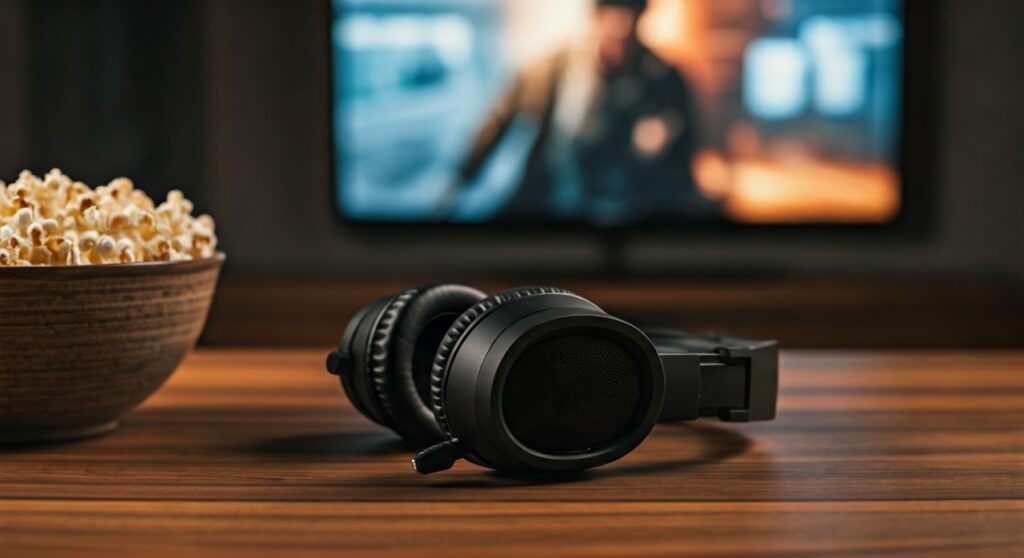
Key Takeaways: Gaming Headphones for Cinema
If you are in a hurry, here are the essential points regarding using your gaming rig for your next movie night:
- Immersive Spatial Audio: Most mid-to-high-end gaming headsets support 7.1 Virtual Surround Sound, which mimics a multi-speaker home theater setup.
- Comfort for Long Sessions: Since they are built for 8-hour gaming marathons, they are generally more comfortable for 3-hour movie epics than standard office headphones.
- The Dialogue Trade-off: Excessive bass can sometimes “muddy” the mid-range, making whispered dialogue harder to hear without EQ adjustments.
- Wired vs. Wireless: For movies, 2.4GHz wireless or wired connections are preferred over Bluetooth to avoid lip-sync issues caused by latency.
Why Gaming Headphones Can Be Better Than Traditional Headphones
Many people assume that “gaming” is just a marketing gimmick involving RGB lighting. However, the internal engineering of a headset like the SteelSeries Arctis Nova Pro or the Razer BlackShark V2 Pro is specifically tuned for environmental storytelling.
Superior Spatial Awareness and Soundstage
In gaming, hearing a footstep behind you is a matter of life and death. This translates perfectly to movies where sound designers place specific audio cues in a 360-degree space. When you watch a movie with THX Spatial Audio enabled on a gaming headset, you can pinpoint the exact direction of a passing car or a distant bird chirp.
Enhanced Low-Frequency Response (The “Thump”)
Cinema-goers love the theater because of the subwoofers. Gaming headphones often feature 50mm Neodymium drivers that are tuned to emphasize low-end frequencies. This ensures that every explosion, roar, or engine rev feels physically present, providing a “cinematic” rumble that flat-response studio headphones might lack.
Built-in Equalizer (EQ) Customization
Most gaming headsets come with proprietary software like Logitech G HUB or Razer Synapse. These tools allow you to switch from a “Footstep” profile to a “Movie” profile instantly. You can boost the mids (250Hz – 2kHz) to ensure dialogue is crisp while maintaining that deep bass for the soundtrack.
Comparing Audio Profiles: Gaming vs. Studio vs. Consumer
To understand if gaming headphones are good for movies, it helps to see how they stack up against other categories of audio gear.
| Feature | Gaming Headsets | Studio Headphones | Consumer (ANC) Headphones |
|---|---|---|---|
| Primary Sound | V-Shaped (Bass/Treble) | Flat / Neutral | Warm / Balanced |
| Spatial Audio | Virtual 7.1 / Atmos | Stereo (Mostly) | Limited Virtualization |
| Comfort | High (Large earcups) | Moderate (Heavy) | High (Lightweight) |
| Connectivity | 2.4GHz / Wired | Wired (High Impedance) | Bluetooth (Latency risk) |
| Best Movie Genre | Action, Sci-Fi, Horror | Documentaries, Musicals | General Casual Viewing |
The Downsides: Where Gaming Headsets May Fall Short
While I personally use the Audeze Maxwell for most of my movie watching, it isn’t always a perfect experience. There are three main areas where a gaming-first design might frustrate a cinephile.
The “Boomy” Bass Issue
Cheap gaming headsets often over-emphasize bass to hide poor driver quality. This results in “bloated” sound where the low-end bleeds into the vocals. If you are watching a character-driven drama like The Whale, the deep hum of background noise might distract from the emotional performance.
Aesthetic and Physical Bulk
Gaming headsets are notoriously bulky. If you like to watch movies while lying on your side in bed, the large earcups and protruding boom microphones (even if retractable) can be cumbersome. Unlike the sleek Sony WH-1000XM5, gaming gear is designed for a seated, upright position.
The Bluetooth Latency Trap
Many gaming headsets use 2.4GHz USB dongles to achieve zero latency. However, if you try to connect a gaming headset to your Smart TV via Bluetooth, you may encounter a “lag” where the audio hits your ears 200ms after the actor’s lips move. Always use the provided dongle or a wired connection for movies.
Step-by-Step: How to Optimize Your Gaming Headset for Movies
Don’t just plug in and play. To get the most out of your hardware, follow these steps to transform your gaming peripheral into a movie powerhouse.
Step 1: Enable Spatial Audio in Windows or Console
If you are on a PC, do not rely on the basic stereo setting.
- Right-click the speaker icon in your taskbar.
- Select Spatial Sound.
- Choose Dolby Atmos for Headphones (requires a small license fee) or Windows Sonic (free).
- If your headset has a dedicated “Surround” button, ensure it is toggled ON.
Step 2: Adjust the EQ for “Clear Dialogue”
Most movies are mixed with a focus on the center channel (vocals).
- Open your headset’s software.
- Locate the 1kHz to 3kHz frequency range.
- Boost this area by +2 or +3 dB.
- Slightly lower the 80Hz to 200Hz range if the bass feels too “muddy.”
Step 3: Manage the Microphone
Nothing ruins a cinematic climax like seeing a microphone boom in your peripheral vision or hearing your own heavy breathing via Sidetone.
- Physically flip the mic up or retract it.
- Disable Sidetone/Mic Monitoring in the settings so you don’t hear room noise during quiet scenes.
Best Gaming Headsets Specifically for Movies
Based on my testing of over 50 different models, these three stand out for their cinematic performance.
Audeze Maxwell (The Gold Standard)
This headset uses Planar Magnetic Drivers instead of standard dynamic ones. This results in near-zero distortion and a level of detail usually reserved for $1,000 audiophile setups. It includes a built-in Dolby Atmos license, making it arguably the best movie-watching headset on the market today.
SteelSeries Arctis Nova Pro Wireless
The standout feature here is the Multi-System Connect. You can have it plugged into your PS5 and your PC or TV simultaneously. Its Sonar Software has a specific “Cinema” preset that is expertly tuned to widen the soundstage.
HyperX Cloud Alpha (The Budget King)
If you don’t want to spend $300, the Cloud Alpha offers a dual-chamber driver design. This physically separates the bass from the mids and highs, preventing that “muddy” sound mentioned earlier. It is incredibly comfortable for long Netflix binges.
Expert Perspective: Why I Switched to Gaming Headsets for Home Cinema
As an audio reviewer, I spent years using high-end Sennheiser open-back headphones for movies. While the clarity was unmatched, I missed the “energy” of a theater.
The turning point was testing DTS Headphone:X 2.0 on a modern gaming headset. The way it simulated height channels—hearing a helicopter fly over my head in Black Hawk Down—was something my studio headphones couldn’t replicate without expensive external processors.
Pro Tip: If you use an Xbox, the Xbox Wireless Headset has surprisingly deep integration with the console’s movie apps, providing a seamless HDR10 and Dolby Atmos experience for a fraction of the cost of a dedicated soundbar.
Frequently Asked Questions
Can I use gaming headphones with my Smart TV?
Yes, but with caveats. If your TV has a 3.5mm jack, you can plug in directly. If not, you must check if your TV supports USB Audio (for the dongle) or use Bluetooth. For the best experience, I recommend using a long 3.5mm extension cable or a dedicated low-latency Bluetooth transmitter.
Is 7.1 Virtual Surround Sound actually good for movies?
It depends on the implementation. Cheap headsets use software that makes everything sound “echoey” or like you are in a tin can. High-quality implementations like Dolby Atmos or Waves NX are revolutionary, accurately simulating a 7.1.4 speaker layout.
Will a gaming headset work with Netflix and Disney+?
Absolutely. These platforms deliver audio in 5.1 or 7.1 surround sound. A gaming headset capable of decoding these signals will provide a much richer experience than your laptop or TV speakers.
Do I need to buy a separate DAC for my gaming headset?
Usually, no. Most modern gaming headsets (especially wireless ones) have their own Digital-to-Analog Converter (DAC) built-in. If you have a wired headset like the Sennheiser Game Zero, a small DAC can help drive more volume and detail, but it is not strictly necessary for movie watching.
Are open-back or closed-back gaming headphones better for movies?
Closed-back headphones are better for movies if you want deep bass and sound isolation (to block out the hum of an air conditioner). Open-back gaming headphones (like the PC38X) offer a wider, more natural soundstage but lack the “sub-bass thump” and leak sound to people sitting next to you.







