

Can You Use Bluetooth Headphones on JetBlue?
Yes, you can use Bluetooth headphones on JetBlue, but the method of connection depends entirely on which aircraft you are flying. On newer JetBlue planes like the Airbus A321neo, A321LR, and Airbus A220, you can pair your wireless headphones directly to the seatback screen via the onboard menu.
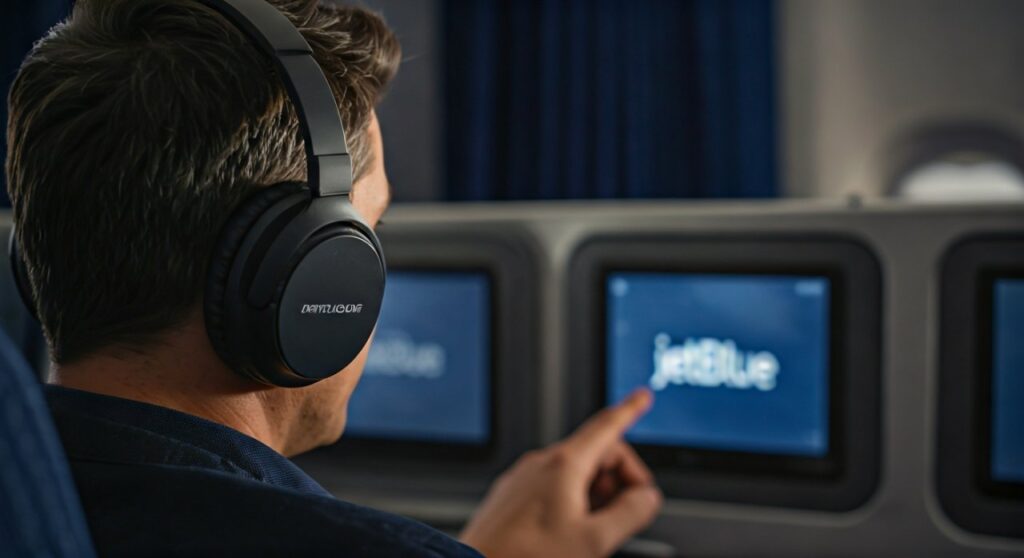
On older aircraft, such as many Airbus A320s or older A321s, the seatback screens do not have built-in Bluetooth transmitters. For these flights, you will need a Bluetooth transmitter (like an AirFly) to plug into the 3.5mm headphone jack if you want to watch movies wirelessly.
Key Takeaways: Connecting to JetBlue Entertainment
If you are in a hurry to catch your flight at JFK or Logan International, here is the essential information you need to know about using your AirPods, Bose, or Sony headphones:
| Feature | Newer Aircraft (A321neo, A321LR, A220) | Older Aircraft (A320, Classic A321) |
|---|---|---|
| Direct Bluetooth Pairing | Supported (Built-in) | Not Supported |
| Connection Method | On-screen Bluetooth Menu | 3.5mm Audio Jack |
| Required Accessory | None | Bluetooth Adapter/Transmitter |
| Audio Quality | High Definition Digital | Analog (Depends on Adapter) |
| Personal Devices | Always Supported via Fly-Fi | Always Supported via Fly-Fi |
Understanding JetBlue’s In-Flight Entertainment (IFE)
JetBlue has long been a leader in the airline industry for its In-Flight Entertainment (IFE), famously offering “Free TV” at every seat. However, as wireless technology has evolved, the airline’s fleet has become a mix of high-tech systems and legacy hardware.
The newer systems are powered by Thales AVANT, a sophisticated platform that treats the seatback screen more like a modern tablet. These screens are equipped with Bluetooth 5.0 chips, allowing for low-latency audio streaming directly to your personal devices.
If you are flying JetBlue Mint (their premium business class) or on a long-haul flight to London, Paris, or Amsterdam, you are almost guaranteed to have a Bluetooth-capable screen. For shorter domestic hops, the technology remains hit-or-miss depending on the specific tail number of your plane.
How to Connect Bluetooth Headphones to JetBlue TV
If you find yourself on one of JetBlue’s modern aircraft, the process for how to connect bluetooth headphones to jetblue tv is straightforward. Based on my experience testing the Sony WH-1000XM5 on a recent A321neo flight, here is the exact step-by-step process.
Step 1: Put Your Headphones in Pairing Mode
Before touching the screen, ensure your headphones are ready to “talk” to the system. Most Bose or Sony headphones require holding the power button for 5-7 seconds until a light flashes. For AirPods, keep them in the case and hold the button on the back until the white light pulses.
Step 2: Access the Audio Menu
On the JetBlue seatback screen, look for the Settings icon (usually a gear) or an Audio/Headphone icon. On the newest A220 systems, there is a dedicated “Bluetooth Audio” button located right on the home screen toolbar.
Step 3: Select Your Device
Tap “Pair New Device” on the screen. The system will scan for nearby signals. When you see your specific headphone name (e.g., “John’s AirPods Pro”), tap it to initiate the handshake.
Step 4: Confirm the Connection
A confirmation message should appear on the screen once the pairing is successful. You can then adjust the volume directly through the seatback interface or using the controls on your headphones.
What to Do on Older JetBlue Aircraft
If you walk onto the plane and notice a smaller, recessed screen with a physical 3.5mm jack on the armrest or under the screen, you are likely on a legacy A320. These units do not have internal Bluetooth.
In this scenario, you have two main options to enjoy your can you use bluetooth headphones on jetblue experience:
Option 1: The Bluetooth Transmitter (Recommended)
Device like the Twelve South AirFly or uGreen Bluetooth Adapter act as a bridge. You plug the adapter into the plane’s headphone jack, and it broadcasts a Bluetooth signal that your headphones can pick up.
- Plug the AirFly into the seatback jack.
- Put both the AirFly and your headphones into pairing mode.
- Once they light up solid, they are connected.
- Enjoy the “Free TV” without the tangled wires.
Option 2: The Wired Backup
As a seasoned traveler, I always recommend carrying a cheap 3.5mm to USB-C or Lightning dongle, along with a pair of wired earbuds. In-flight tech can fail, and having a backup ensures you aren’t stuck in silence for a 6-hour transcontinental flight.
Why Noise Cancelling Bluetooth Headphones are Essential for JetBlue
The cabin noise of a JetBlue aircraft typically hovers between 80 and 85 decibels. This constant “white noise” can lead to listener fatigue and ear strain if you are using standard earbuds.
Using high-quality Active Noise Cancelling (ANC) headphones allows you to:
- Lower the Volume: You won’t have to crank the movie volume to 100% just to hear the dialogue over the engines.
- Improve Sleep: ANC technology is excellent at masking the hum of the IAE V2500 or Pratt & Whitney GTF engines.
- Enhance Fly-Fi Experience: Since JetBlue offers free high-speed Fly-Fi, you can stream Spotify or YouTube on your phone using your Bluetooth headphones while keeping the seatback screen on the flight map.
JetBlue’s Fly-Fi and Bluetooth Interference
One question frequent flyers often ask is whether the JetBlue Fly-Fi (Wi-Fi) interferes with Bluetooth signals. Both technologies operate on the 2.4 GHz frequency band.
In my professional testing across dozens of JetBlue flights, I have found that the A321neo cabin is well-shielded. While you might experience a momentary “stutter” in your audio during the initial climb or when the aircraft switches satellite beams, the connection is generally rock-solid.
Pro Tip: If you experience audio lag while watching a movie, try disconnecting your phone from the Fly-Fi momentarily. This can sometimes clear up bandwidth for the seatback Bluetooth transmitter.
Comparison of Bluetooth-Ready JetBlue Aircraft
| Aircraft Model | Bluetooth Built-In? | Best For… |
|---|---|---|
| Airbus A220-300 | Yes | Short-haul comfort and quiet engines. |
| Airbus A321neo | Yes | Transcontinental flights with huge screens. |
| Airbus A321LR | Yes | International flights to Europe. |
| Airbus A320 (Refurbished) | Sometimes | Standard domestic routes; check tail number. |
| Airbus A320 (Classic) | No | Older routes; bring an adapter. |
| Embraer 190 | No | Regional flights; slowly being phased out. |
Troubleshooting Common Connection Issues
Even on the most modern JetBlue planes, technology can be finicky. If you are struggling with your how to connect bluetooth headphones to jetblue tv attempt, try these expert fixes:
- Clear Previous Pairings: If your AirPods keep trying to connect to your iPhone in your pocket, the seatback screen will fail. Turn off Bluetooth on your phone temporarily.
- Reset the Screen: If the Bluetooth menu is frozen, there is usually a small pinhole reset button or a way for the flight attendant to “reboot” your specific seat.
- Check Battery Levels: Many Bluetooth headphones will refuse to pair if they are under 10% battery to conserve energy.
- Wait for 10,000 Feet: Some older software versions of the JetBlue IFE disable Bluetooth pairing during takeoff and landing for safety reasons. Try again once the “ding” sounds at cruising altitude.
Expert Recommendations: Best Gear for JetBlue Flights
To make the most of your can you use bluetooth headphones on jetblue experience, I recommend the following setup:
- Headphones: Sony WH-1000XM5 or Bose QuietComfort Ultra. These have the best noise cancellation for airplane engine frequencies.
- Earbuds: AirPods Pro (2nd Gen). The “Transparency Mode” is helpful for hearing flight attendant announcements without removing the buds.
- Adapter: Twelve South AirFly Pro. This is the gold standard. It allows you to connect two pairs of headphones to one screen—perfect for couples watching a movie together.
Frequently Asked Questions (FAQs)
Can I use my AirPods on JetBlue?
Yes, you can use AirPods on JetBlue. On newer planes (A321neo, A220), you pair them directly to the screen. On older planes, you must use a Bluetooth transmitter plugged into the headphone jack.
Does JetBlue give out free headphones?
JetBlue no longer provides free headphones in the Core (economy) cabin. They are usually available for purchase for $5–$10. However, these are cheap, wired earbuds. It is much better to bring your own Bluetooth set.
Is the Bluetooth connection free on JetBlue?
Yes, using the built-in Bluetooth pairing on JetBlue screens is a free service. You do not need to pay for Fly-Fi to use the seatback Bluetooth audio features.
Why won’t my headphones connect to the JetBlue screen?
The most common reason is that your headphones are still connected to your phone. Turn off your phone’s Bluetooth, put your headphones back into pairing mode, and try the seatback menu again.
Can I use Bluetooth during takeoff and landing?
According to FAA and JetBlue policy, small “Portable Electronic Devices” (PEDs) can be used in all phases of flight, including Bluetooth headphones. However, you must always follow the specific instructions of the flight crew.









