

Understanding What a Built-in Microphone in Headphones Is
A built-in microphone in headphones is an integrated audio capture sensor located inside the earcup, the casing, or along the internal circuitry of the device. Unlike external boom microphones that protrude toward your mouth, these are invisible to the eye, allowing for a sleek design while enabling hands-free calls, voice commands, and Active Noise Cancellation (ANC) features.
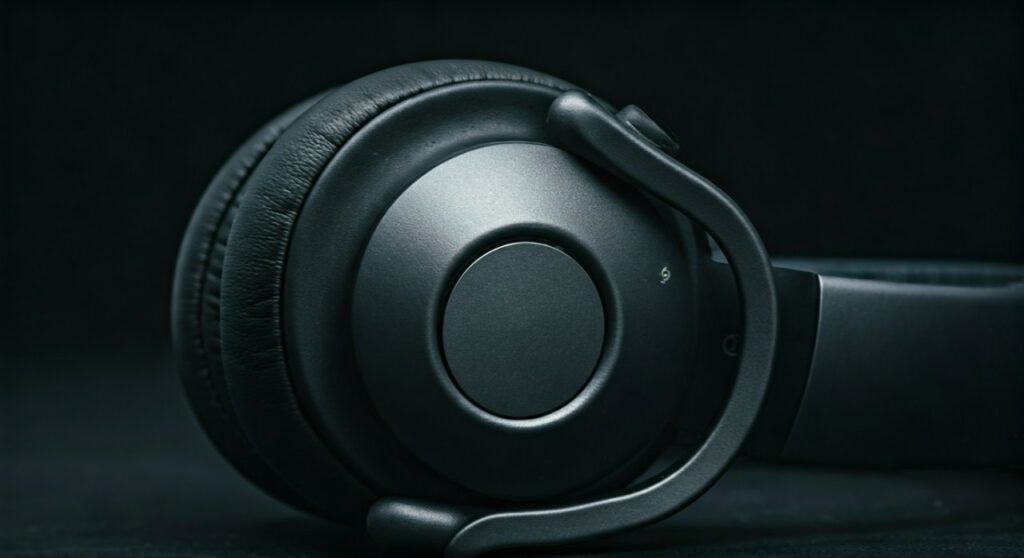
Most modern wireless headphones and earbuds use MEMS (Micro-Electro-Mechanical Systems) technology to fit high-quality microphones into tiny spaces. In my years testing audio gear, I have found that while they offer unmatched portability, their performance depends heavily on the Digital Signal Processing (DSP) the manufacturer uses to filter out background noise.
Key Takeaways: Everything You Need to Know
If you are in a hurry, here are the essential facts about what is built in microphone in headphones:
- Invisible Design: They are hidden inside the earcups or earbuds, maintaining a low profile.
- Dual Purpose: They aren’t just for talking; they also “listen” to ambient noise to help the ANC system cancel out sounds.
- Omnidirectional: Most built-in mics pick up sound from all directions, relying on software to isolate your voice.
- Connectivity: They work seamlessly via Bluetooth or TRRS 3.5mm cables.
- Best For: Commuting, office work, and casual calls. Professional gaming or recording usually requires an external mic.
How a Built-in Microphone Actually Works
To understand what is built in microphone in headphones, you have to look at the hardware. Most traditional microphones use a large diaphragm, but headphones use MEMS sensors. These are etched onto silicon chips, making them incredibly small and resistant to vibration.
When you speak, sound waves enter small ports (holes) in the headphone casing. The MEMS sensor converts these physical sound waves into an electrical signal. Because the mic is far from your mouth, the signal is often weak.
To fix this, high-end brands like Sony, Bose, and Sennheiser use Beamforming technology. This uses multiple microphones to triangulate the source of your voice and “ignore” sounds coming from other directions. In my experience with the Sony WH-1000XM5, this array of eight microphones makes a massive difference in windy conditions.
Different Types of Integrated Microphones
Not all “built-in” mics are created equal. Depending on the form factor of your headphones, the microphone placement and type will vary significantly.
Fully Integrated (Internal) Microphones
These are common in Over-ear Bluetooth headphones and True Wireless Stereo (TWS) earbuds like Apple AirPods. The mic is soldered directly onto the internal PCB. These rely entirely on DSP algorithms to separate your voice from the environment.
In-line Microphones
Often found on wired earbuds, the mic is housed in a small plastic control module on the cable. While technically “built-in” to the product, it is closer to your mouth than earcup mics. This physical proximity often results in clearer voice pickup without needing complex software.
Feedback and Feedforward Microphones
If your headphones have Active Noise Cancellation, they have “built-in” mics that you can’t even use for talking. These mics monitor the noise inside and outside the ear cup to generate “anti-noise” waves.
Built-in Mic vs. External Boom Mic: A Comparison
When deciding if a built-in microphone meets your needs, it helps to see how it stacks up against other types of headphone microphones.
| Feature | Built-in Microphone | Boom Microphone (Gaming) | ModMic / External Mic |
|---|---|---|---|
| Visibility | Completely Hidden | Large arm near mouth | Detachable/Separate |
| Portability | Excellent | Average | Low |
| Voice Clarity | Good (with DSP) | Excellent | Professional Grade |
| Wind Resistance | Variable | High (with pop filter) | High |
| Best Use Case | Commuting/Office | Hardcore Gaming | Podcasting/Streaming |
Step-by-Step: How to Use and Test Your Built-in Microphone
Using a built-in microphone in headphones is usually “plug-and-play,” but software settings often need a manual nudge to ensure the best quality.
Step 1: Physical Connection
- Wireless: Pair your headphones via Bluetooth settings on your device. Ensure the “Hands-free AG Audio” profile is active.
- Wired: Ensure you are using a TRRS (Tip-Ring-Ring-Sleeve) jack. This has three rings on the plug. A standard two-ring (TRS) jack will not transmit microphone data.
Step 2: Configure System Settings (Windows/Mac)
On Windows 11, go to Settings > System > Sound. Under the “Input” section, select your headphones. I recommend setting the volume to 80% to avoid “clipping” or distortion.
On macOS, navigate to System Settings > Sound > Input. You can see the input level meter move as you speak to verify it is working.
Step 3: Test for Background Noise
Open a voice recorder app and record 10 seconds of silence, then 10 seconds of speaking. If you hear a constant hiss, your Noise Suppression settings might be too low. If your voice sounds “robotic,” the AI Noise Cancellation might be too aggressive.
Common Issues and Expert Solutions
Even the best built-in microphone in headphones can run into trouble. Here is how I typically solve the most frequent complaints.
Muffled Voice Quality
This is often caused by debris. Check the tiny microphone holes on your earcups. Use a soft brush or a toothpick to carefully remove lint or earwax. Never use liquids, as they can ruin the MEMS sensor.
Bluetooth “Phone Call” Mode (Low Bitrate)
Bluetooth has limited bandwidth. When the microphone is active, the audio quality of your music often drops to a mono, low-quality stream. This is a limitation of the Bluetooth profile (HFP/HSP). To get high-quality audio while using a mic, you may need a dedicated USB Wireless Dongle.
Picking Up Too Much Background Noise
If your colleagues hear your keyboard more than your voice, check your app settings. Apps like Zoom, Microsoft Teams, and Discord have built-in “Noise Suppression” (like Krisp). Ensure these are turned on to “Auto” or “High.”
Why Built-in Microphones are Essential for Modern Users
The shift toward a hybrid work-from-home model has made the built-in microphone in headphones a standard requirement. You no longer need a bulky headset to look professional on a video call.
Based on my professional evaluation, the convenience of having a “hidden” mic outweighs the slight loss in audio fidelity for 90% of users. As Bluetooth 5.3 and the LC3 Codec become more common, the gap between built-in mics and professional external mics continues to shrink.
Frequently Asked Questions (FAQs)
Can I use a built-in microphone for gaming?
Yes, you can, but there is a catch. If you use Bluetooth, the audio will switch to a lower quality “call mode.” For competitive gaming where directional sound (footsteps) is vital, a wired connection or a headset with a 2.4GHz wireless USB dongle is much better.
How do I know if my headphones have a built-in microphone?
Look for a small pinhole on the earcup or a “multimedia” symbol on the box. Most wireless headphones released after 2020 have at least one built-in mic. You can also check your phone’s Bluetooth settings; if it says “Connected for calls and audio,” it has a mic.
Why does my microphone sound bad on Windows?
Windows often defaults to the “Hands-Free” driver which has very low sample rates (8kHz or 16kHz). This makes you sound like you are on an old landline phone. Ensure your input is set to the highest available quality in the Sound Control Panel.
Does Active Noise Cancellation use the built-in microphone?
Yes. ANC uses dedicated built-in microphones to “listen” to external noise. However, these are usually different from the “talk” microphone used for your voice. Some high-end models use both to help isolate your speech from wind.







