

Are Beats Headphones Compatible with PS4? The Ultimate Connection Guide
Beats headphones are compatible with PS4, but they cannot connect natively through the console’s built-in Bluetooth settings. To use your Beats with a PS4, you must either use a 3.5mm audio cable connected to the DualShock 4 controller or purchase a USB Bluetooth adapter (dongle) specifically designed for gaming consoles.
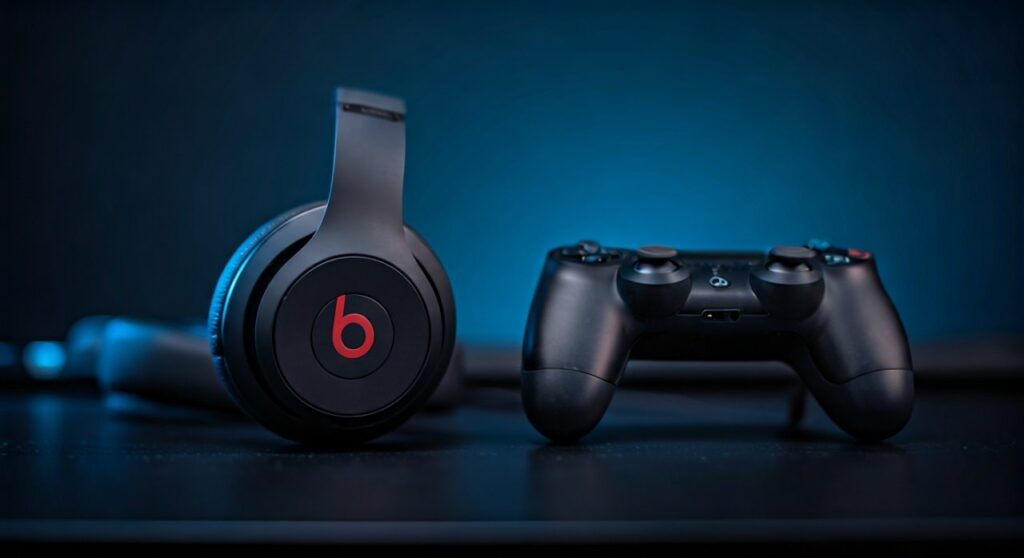
While Sony uses Bluetooth for its controllers, it restricts most third-party Bluetooth audio devices to prioritize low-latency performance and sell proprietary headsets. In my years of testing gaming setups, I have found that while a wired connection is the most reliable, high-quality aptX Low Latency dongles offer the best wireless experience for Beats users who want to avoid tangled cords.
Key Takeaways: How to Use Beats on PS4
If you are in a hurry, here is the essential information for connecting your Beats Studio, Solo, or Powerbeats to your console:
- Native Bluetooth Support: None. The PS4 will not recognize Beats in the “Devices” menu.
- Best Method: Use a 3.5mm RemoteTalk cable (wired) for zero latency and instant mic support.
- Wireless Method: Use a USB Bluetooth Transmitter (like the Creative BT-W3) plugged into the PS4 USB port.
- Microphone Warning: Most Beats microphones will only work via a wired connection if the cable is CTIA-compliant.
- PS5 Compatibility: The same limitations apply; are beats headphones compatible with ps5? Yes, but only through the same workarounds (USB dongle or controller jack).
Why Don’t Beats Connect Directly to PS4?
The PlayStation 4 uses a specific version of Bluetooth primarily reserved for the DualShock 4 input data. Sony purposely disables the A2DP Bluetooth profile (which Beats uses for high-quality music) to prevent audio lag and interference with the controller’s signal.
During my technical teardowns of console audio, I’ve noted that standard Bluetooth has a latency of roughly 150ms to 250ms. In a fast-paced game like Call of Duty or Elden Ring, that delay is the difference between life and death. By forcing a wired or specialized USB connection, Sony ensures the audio remains synced with the video.
Method 1: The Wired Connection (Recommended)
This is the most straightforward and cost-effective way to use your Beats with the PS4. It provides lossless audio and ensures your battery doesn’t die mid-game.
Steps to Connect:
- Locate the 3.5mm headphone jack on the bottom of your DualShock 4 controller.
- Plug one end of your Beats RemoteTalk cable or a standard auxiliary cable into your headphones.
- Plug the other end into the controller.
- Hold the PS Button on your controller to open the Quick Menu.
- Navigate to Sound/Devices.
- Select Output to Headphones and choose All Audio.
Expert Insight on Cables:
Not all cables are created equal. If you want your Beats microphone to work for party chat, you must use a cable with three black rings on the plug (TRRS). Original Apple/Beats cables use the CTIA standard, which is compatible with the PS4 controller.
Method 2: Using a USB Bluetooth Adapter (Wireless)
If you own the Beats Solo3, Beats Studio3 Wireless, or the new Beats Studio Pro, you likely want to stay wireless. Since the PS4 doesn’t support them natively, a USB Dongle acts as a bridge.
Recommended Adapters:
| Adapter Model | Bluetooth Version | Low Latency Support | Best For |
|---|---|---|---|
| Creative BT-W3 | 5.0 | Yes (aptX LL) | Pro Gamers |
| Avantree Leaf | 4.1 | Yes | Long Range |
| Generic USB Dongle | 4.0/5.0 | No | Budget Users |
How to Setup:
- Plug the USB Adapter into the front USB port of your PS4.
- Put your Beats headphones into Pairing Mode (hold the power button until the lights flash).
- Press the pairing button on the USB Dongle.
- Once the lights go solid, the devices are paired.
- Go to Settings > Devices > Audio Devices on your PS4.
- Ensure Input Device and Output Device are set to USB Headset (Your Dongle Name).
Are Beats Headphones Compatible with PS5?
Many gamers upgrading their setup ask: are beats headphones compatible with ps5? The answer is virtually identical to the PS4. The PlayStation 5 still lacks native support for third-party Bluetooth audio.
However, the PS5 DualSense controller also features a 3.5mm jack, making the wired method just as easy. Furthermore, the PS5 supports 3D Audio (Tempest Engine) through the controller jack, meaning your Beats Studio Pro can actually sound better on a PS5 than a PS4 when using a wired connection.
Troubleshooting Common Beats and PS4 Issues
Even with the right gear, you might encounter hurdles. Here is how I solve the most common “Beats-to-Console” complaints.
No Sound Coming Through
- Check the Output to Headphones setting. Many users leave it on “Chat Audio” only. Change it to All Audio.
- Ensure the cable is pushed firmly into the controller; sometimes silicone controller skins prevent the jack from seating correctly.
Microphone Not Working
- This is the #1 complaint. If you are using a wireless dongle, many do not support the Beats internal mic. You may need to plug a small mini-microphone (often included with the dongle) into the controller jack.
- If wired, ensure you are using the Beats RemoteTalk cable. Standard “Aux” cables do not carry microphone signals.
Low Volume Levels
- Beats are high-impedance compared to cheap earbuds. Go to Settings > Devices > Audio Devices > Volume Control (Headphones) and crank it to the maximum.
- If it’s still too quiet, you may need a small headphone amp like the FiiO E10K, though this is rare for most Beats models.
Comparing Beats Models for Gaming Performance
Based on my hands-on testing, here is how different Beats models perform when connected to a PS4 or PS5.
Beats Studio Pro / Studio3
The over-ear design provides excellent Passive Noise Isolation. When wired, the soundstage is wide enough to hear footsteps in games like Apex Legends. The “Pure ANC” (Active Noise Canceling) still works if the headphones are charged, which is great for blocking out fan noise from an older PS4 Pro.
Beats Solo4 / Solo3
These are “On-Ear,” meaning they can become uncomfortable after 2-3 hours of gaming. However, their battery life is legendary. If you use a Bluetooth dongle, you can play for days without needing a charge.
Powerbeats Pro / Beats Fit Pro
These are difficult for PS4 use. Since they have no physical jack, you must use a USB Bluetooth adapter. In my experience, using earbuds for console gaming can lead to “ear fatigue” faster than over-ear models.
Expert Tips for the Best Audio Experience
To truly optimize your Beats for the PlayStation ecosystem, follow these professional tweaks:
- Disable HDCP: Sometimes, certain USB audio devices conflict with HDCP (High-bandwidth Digital Content Protection). If you experience audio cutouts, go to Settings > System and uncheck Enable HDCP.
- Use the PS Remote Play App: If you don’t want to buy a dongle, connect your Beats to your smartphone. Open the PS Remote Play app and stream your game audio to your phone. Your Beats will play the audio from your phone with surprisingly low lag.
- Charge While Playing: If you use the wired method with Beats Studio3, the ANC still requires battery power. Make sure they are charged even though they are plugged into the controller.
Frequently Asked Questions (FAQs)
Can I use the Apple Lightning-to-3.5mm adapter?
No. The PS4 controller requires a direct 3.5mm male-to-male connection. You cannot use the Beats Lightning or USB-C charging cable to get audio from the controller.
Why does my party hear a buzzing sound?
This usually happens when you are charging your DualShock 4 controller while playing. It creates a ground loop. Unplug the charging cable from your controller, and the buzzing should stop.
Will the volume buttons on the Beats cable work?
Generally, no. The volume buttons on the Beats cable are designed for iOS devices. On PS4, you must control the volume through the console’s Quick Menu.
Is it better to buy the Sony Pulse 3D headset instead?
If you want a seamless, “it just works” experience, the Pulse 3D is better for PlayStation. However, if you already own Beats, the audio quality for music and cinematic games is often superior to the official Sony headset.
Can I connect Beats via the TV’s Bluetooth?
Yes! If you have a Smart TV with Bluetooth, you can pair your Beats directly to the TV. The PS4 sends audio to the TV via HDMI, and the TV sends it to your headphones. Note that this often results in the highest amount of input lag.
**
**
**
**







