

Most modern headphones are stereo by design, meaning they feature two independent audio channels—left and right—to create a multi-dimensional soundstage. However, while the hardware is typically stereo, your audio output can be mono depending on your device settings, the specific cable used, or accessibility configurations.
Are Headphones Mono or Stereo? The Quick Verdict
If you purchased a pair of headphones in the last 20 years, they are almost certainly stereo. Stereo sound uses two distinct channels to mimic how we hear in the real world, providing a sense of direction and depth.
Mono (monaural) sound, by contrast, sends the exact same audio signal to both the left and right speakers. While rare in high-end consumer electronics today, mono is still used for specific professional communication headsets, vintage recordings, and accessibility features for users with unilateral hearing loss.
Key Takeaways: TL;DR
- Hardware Reality: 99% of consumer headphones (Sony WH-1000XM5, Apple AirPods Pro, Bose QuietComfort) are stereo.
- Visual Identification: Look at the jack; two rings (TRS) or three rings (TRRS) indicate stereo capability.
- Audio Testing: Use a “Left-Right” panning test on YouTube to verify channel separation.
- When to Use Mono: Best for podcasts, single-earpiece communication, or if you have hearing difficulties in one ear.
- When to Use Stereo: Essential for immersive gaming, music production, and cinematic experiences.
Understanding the Technical Difference: Mono vs. Stereo
To truly answer the question, are headphones stereo or mono, we must look at how sound is recorded and transmitted. The difference lies in the number of “paths” the sound takes from the source to your ears.
What is Mono Sound?
Mono audio uses a single channel. Even if you have two speakers in your headphones, they both play the identical “center” signal. There is no horizontal placement; the sound feels like it is coming from the middle of your head.
What is Stereo Sound?
Stereo audio uses two channels (Left and Right). This allows engineers to “pan” sounds. For example, in a Beatles track, you might hear the drums on the left and the vocals on the right. This creates a 3D soundstage that feels much more natural and immersive.
| Feature | Mono Audio | Stereo Audio |
|---|---|---|
| Channels | 1 Channel (Signal is identical) | 2 Channels (Left & Right) |
| Depth | Flat, centered sound | Wide, immersive soundstage |
| Common Use | Phone calls, Walkie-talkies, AM Radio | Music, Movies, Modern Gaming |
| Hardware | Single-ear headsets | Over-ear, On-ear, and Earbuds |
| Complexity | Simple, low bandwidth | More complex, higher data usage |
How to Check Your Hardware: Are My Headphones Stereo or Mono?
You don’t need to be an engineer to figure out if your gear is stereo. You can identify the capability of your headphones just by looking at the physical connector or the earcups.
Inspect the Audio Jack (The Ring Test)
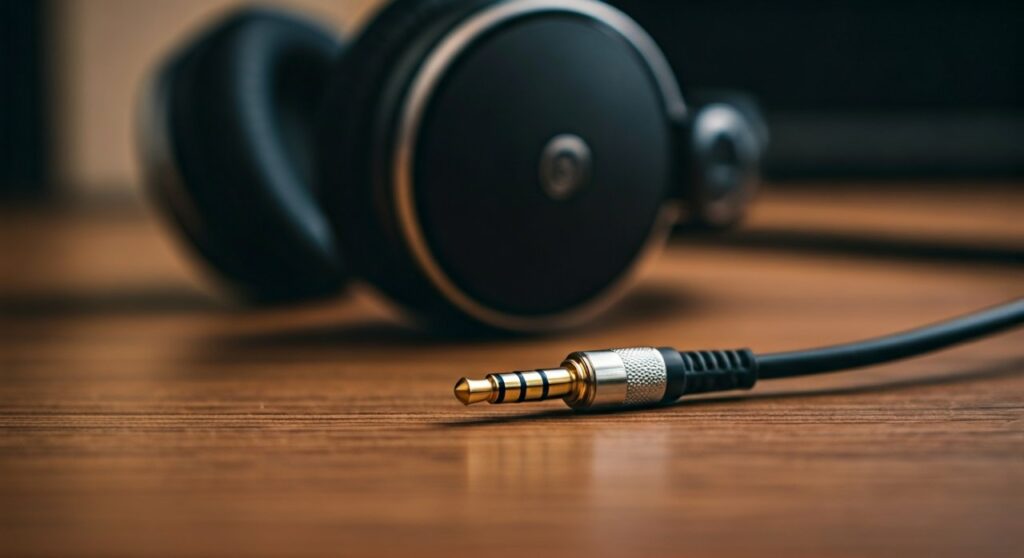
If you have wired headphones, look at the metal plug (the jack). The small plastic rings (insulators) tell the story:
- One Ring (TS): This is a Mono plug. You usually see these on guitar cables or professional microphones.
- Two Rings (TRS): This stands for Tip-Ring-Sleeve. This is the standard for Stereo headphones.
- Three Rings (TRRS): This is Stereo plus a Microphone channel. Most modern smartphone headsets use this.
Check the Number of Drivers
Open-back or closed-back headphones contain “drivers” (the actual speakers). Stereo headphones have a dedicated driver for each ear. If you have a single-sided headset (like those used by customer service agents), it is a mono device.
Look for “L” and “R” Markings
Manufacturers print L (Left) and R (Right) on the earcups for a reason. If these markings exist, the headphones are designed for stereo separation. If the sound were mono, the orientation wouldn’t matter.
Step-by-Step Guide: How to Test Stereo Separation on Your Device
If you suspect your stereo headphones are playing mono sound, follow this guide to verify the signal path.
Step 1: Perform a Panning Test
- Put on your headphones.
- Search for a “Stereo Left Right Test” on YouTube or Spotify.
- Listen closely. You should hear a voice say “Left Channel” only in your left ear, then “Right Channel” only in your right ear.
- The Result: If you hear the voice in both ears at all times, your system is currently outputting in mono.
Step 2: Check Windows 10/11 Settings
Windows has a built-in “Mono Audio” toggle that many people accidentally turn on.
- Go to Settings > Accessibility > Audio.
- Ensure the toggle for Mono audio is set to Off.
- If it was on, your stereo headphones were being forced to act as mono.
Step 3: Check MacOS Settings
- Open System Settings > Accessibility.
- Select Audio from the sidebar.
- Uncheck the box that says “Play stereo audio as mono”.
Step 4: Check iPhone (iOS) Settings
- Go to Settings > Accessibility.
- Scroll down to Audio/Visual.
- Ensure Mono Audio is toggled Off.
Why Would Someone Choose Mono Over Stereo?
While stereo is objectively “better” for entertainment, there are professional and medical reasons why mono is still relevant today.
Accessibility for Hearing Impairment
For individuals with hearing loss in one ear (unilateral hearing loss), stereo sound is frustrating. They might miss half the instruments in a song or critical cues in a movie. Switching to mono ensures they hear 100% of the audio signal in their “good” ear.
Professional Monitoring
DJs often use mono monitoring because club sound systems are sometimes wired in mono to ensure everyone in the room hears the same mix, regardless of where they are standing. Mixing in mono also helps engineers identify “phase cancellation” issues.
Single-Ear Usage
If you are walking in a busy city and only wearing one earbud for safety, you should switch your phone to mono. This prevents you from missing the “Right” channel audio while only the “Left” bud is in your ear.
Troubleshooting: Why Do My Stereo Headphones Sound Mono?
It is a common frustration: you bought high-quality Sennheiser or Audio-Technica headphones, but the sound feels narrow and flat. Here are the most likely culprits.
The Jack isn’t Plugged in All the Way
This is the #1 cause. If a TRS jack isn’t fully seated in the port, the contacts may touch the wrong parts of the plug, often resulting in a mono signal or a signal with missing vocals (out-of-phase audio).
Broken Internal Wiring
Over time, the wires inside your headphone cable can fray. If the “ground” wire or one of the signal wires breaks, the channels can “leak” into each other (crosstalk), or one side might die entirely, forcing your brain to perceive the remaining sound as mono.
Software Drivers and “Spatial Sound”
On Windows, features like Windows Sonic or Dolby Atmos for Headphones are designed to enhance stereo. However, if configured incorrectly with old drivers, they can sometimes collapse the soundstage into a centered mono-like mess.
The Evolution: From Mono to Stereo to Spatial Audio
The question of are headphones mono or stereo is actually evolving into are headphones stereo or spatial?
The Mono Era (Pre-1950s)
Early radio and record players were entirely mono. Headphones were used primarily by telephone operators and pilots, where clarity of speech was more important than musical immersion.
The Stereo Revolution (1960s – Present)
With the rise of the Walkman and high-fidelity vinyl records, stereo became the global standard. It allowed listeners to feel like they were sitting in the front row of a concert hall.
The Spatial Audio Future
We are now entering the era of Spatial Audio and Binaural Recording. Using complex algorithms, modern headphones (like AirPods Max) can simulate sound coming from above, below, and behind you. This is essentially “Stereo on steroids,” using two speakers to trick the brain into a 360-degree experience.
FAQ: Frequently Asked Questions
Can I turn mono headphones into stereo?
No. Stereo requires two separate speakers and two separate wiring paths. If your headphones are physically mono (one driver), no software can turn them into stereo. However, you can turn stereo headphones into mono via your device’s software settings.
Are Bluetooth earbuds mono or stereo?
Almost all Bluetooth earbuds are stereo. When you use both earbuds, they sync to provide a left and right channel. Most modern models (like Samsung Galaxy Buds) have a “Mono Mode” that automatically kicks in if you only take one earbud out of the charging case.
Does mono audio sound louder than stereo?
Sometimes, yes. Because mono combines both the left and right signals into a single output, the perceived “density” of the sound can feel louder. However, it lacks the clarity and separation of stereo, which often makes it feel more “cluttered.”
Why are my headphones only playing in one ear?
This usually isn’t a mono/stereo setting issue. It typically points to a hardware failure (a broken wire in the cable) or a dirty headphone jack. If you have to “wiggle” the wire to get sound in both ears, your cable needs replacement.
Is mono better for gaming?
No. For competitive games like Valorant, CS:GO, or Call of Duty, stereo (or spatial audio) is mandatory. You need the left/right separation to hear which direction enemy footsteps are coming from. Mono would make all footsteps sound like they are right on top of you.







