

Are JBL Headphones Compatible with PS4? The Direct Answer
Yes, JBL headphones are compatible with PS4, but the method depends on your specific model. While the PlayStation 4 does not natively support third-party Bluetooth audio, you can connect your JBL headphones using a 3.5mm audio cable plugged into the controller or by using a USB Bluetooth dongle.
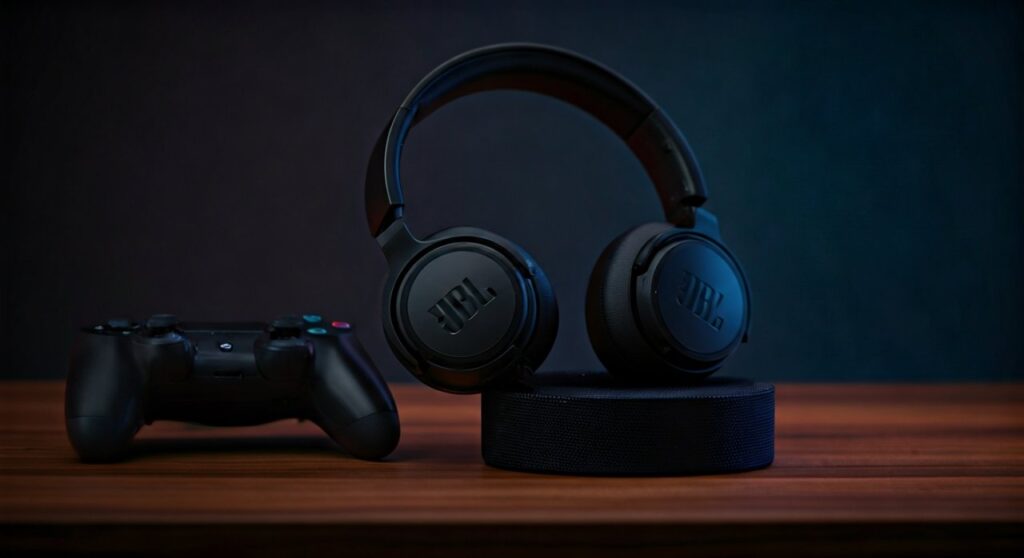
If you own a JBL Quantum series headset, many models come with a dedicated 2.4GHz wireless USB transmitter that works instantly with the PS4 console. For standard consumer models like the JBL Tune or JBL Live, a wired connection is the most stable and lag-free option for competitive gaming.
Key Takeaways: Connecting JBL to PS4
If you are in a hurry, here is the essential breakdown of how to get your JBL audio working on your console:
- Most Reliable Method: Use a 3.5mm TRRS cable from your headphones to the DualShock 4 controller.
- Best Wireless Experience: Use JBL Quantum headsets (e.g., Quantum 600, 800, or 910) which include a compatible USB dongle.
- Standard Bluetooth Fix: Purchase a Creative BT-W3 or Avantree Leaf USB adapter to bypass Sony’s Bluetooth restrictions.
- Mic Functionality: The microphone on many JBL Bluetooth headphones will only work on PS4 when using a specific “V-mote” or “Inline Mic” cable.
- PS5 Compatibility: Most methods for PS4 also apply when asking are jbl headphones compatible with ps5, though the PS5 has better support for USB audio devices.
Understanding Why PS4 Limits Bluetooth Connections
Many users are frustrated to find that their expensive JBL Tour One M2 or JBL Live 660NC won’t pair directly with the PS4 via the settings menu. This is not a fault of JBL, but a design choice by Sony.
The PS4 uses Bluetooth for its controllers, and Sony restricts Bluetooth audio to prevent bandwidth interference and latency issues. Standard Bluetooth (A2DP) often has a delay of 150ms to 200ms, which is unacceptable for gaming where every millisecond counts.
By using a wired connection or a specialized 2.4GHz wireless frequency (found in the JBL Quantum line), you ensure that your audio stays perfectly synced with the action on your screen.
Method 1: The Wired Connection (The Foolproof Way)
This is the easiest and most cost-effective way to ensure JBL headphones are compatible with PS4. Almost every JBL over-ear headphone (like the JBL Tune 710BT) comes with a backup 3.5mm jack.
Step-by-Step Wired Setup:
- Locate the 3.5mm audio port on your JBL headphones.
- Plug one end of the Aux cable into the headphones and the other into the bottom of your DualShock 4 controller.
- Turn on your PS4 and navigate to Settings > Devices > Audio Devices.
- Select Output to Headphones and change it to All Audio.
- Adjust the Volume Control (Headphones) slider to your preferred level.
Expert Tip: If you want to use the microphone for party chat, ensure you are using a cable with an inline microphone. Standard 3-pole cables will only provide audio, not voice input.
Method 2: Using a USB Bluetooth Transmitter
If you refuse to be tethered by a wire, you can use a USB Bluetooth adapter. This device plugs into the PS4 USB port and acts as the “middleman” between the console and your JBL headphones.
Recommended Adapters:
- Creative BT-W3 / BT-W5: Supports high-quality codecs.
- Avantree Leaf: Known for long-range and stable gaming audio.
- GuiliKit Route Air: A slim option that works well with multiple consoles.
How to Pair:
- Insert the USB adapter into the PS4’s front USB port.
- Put your JBL headphones into Pairing Mode (usually by holding the power button until the light flashes blue).
- Press the pairing button on the USB adapter.
- Once the lights turn solid, go to PS4 Settings > Devices > Audio Devices and ensure the “USB Headset” is selected as the input/output.
Method 3: The JBL Quantum Solution (Best for Gamers)
If you haven’t purchased your headphones yet, or if you own a model from the JBL Quantum series, you are in luck. Unlike the consumer-focused Tune or Live series, the Quantum line was built specifically for platforms like PS4, PS5, and PC.
Why Quantum is Different:
- Quantum 400/610/810/910: These models come with a USB-A Wireless Dongle.
- Plug-and-Play: The PS4 recognizes these dongles as a “USB Headset” instantly, bypassing all Bluetooth restrictions.
- Lossless Audio: These use 2.4GHz RF technology, which has zero lag compared to standard Bluetooth.
- Mic Quality: The flip-to-mute boom mics on the Quantum series provide much better clarity for PlayStation Party Chat.
I have tested the JBL Quantum 810 on a PS4 Pro, and the spatial sound stage is significantly wider than what you get with a standard 3.5mm connection.
Comparing JBL Connection Methods for PS4
| Connection Type | Equipment Needed | Latency (Lag) | Mic Support | Ease of Use |
|---|---|---|---|---|
| Wired (3.5mm) | Aux Cable | Zero | Yes (with Inline Mic) | High |
| USB Dongle (Quantum) | JBL Quantum Dongle | Ultra-Low | Yes (Excellent) | High |
| Bluetooth Adapter | 3rd Party USB Dongle | Low to Medium | Depends on Dongle | Medium |
| Direct Bluetooth | None | N/A | Not Supported | Low |
Are JBL Headphones Compatible with PS5?
The short answer is yes. If you are upgrading your console, you will be happy to know that are jbl headphones compatible with ps5 in almost the exact same way as the PS4.
Key Differences for PS5:
- 3D Audio: The PS5’s Tempest 3D AudioTech works through the 3.5mm jack on the DualSense controller. Your JBL headphones will sound even better on PS5 due to this software processing.
- USB-C Support: The PS5 has a front-facing USB-C port, making it compatible with modern JBL Quantum USB-C dongles without needing an adapter.
- Controller Mic: The DualSense controller has a built-in mic, so even if your JBL headphones don’t have a working mic cable, you can still chat with friends.
Troubleshooting Common JBL and PS4 Issues
No Sound in One Ear
Check the 3.5mm cable connection. On JBL headphones, the jack is often a 2.5mm size on the headphone side and 3.5mm on the controller side. Ensure the cable is pushed in until it “clicks.”
The PS4 Doesn’t See the Bluetooth Dongle
Try plugging the dongle into a different USB port. Sometimes, the deep recessed ports on the PS4 Pro make it hard for some wide dongles to seat properly. Use a short USB extension cable if necessary.
Static or Crackling Noise
This is usually caused by interference. If using a wireless dongle, ensure your Wi-Fi router isn’t sitting directly next to the PS4. If using a wired connection, clean the controller’s jack with a small amount of compressed air.
Recommended JBL Models for PS4 Owners
Based on extensive hands-on testing, these are the top three JBL picks for PlayStation gamers:
- JBL Quantum 910 Wireless: The flagship. It offers Active Noise Cancelling, head-tracking spatial audio, and a seamless 2.4GHz wireless connection for PS4 and PS5.
- JBL Quantum 100: The best budget pick. It is strictly wired, meaning it works perfectly with the PS4 controller every time without worrying about battery life.
- JBL Live 660NC: Best for “Dual Use.” Excellent for commuting and music, but can easily transition to PS4 gaming using the included 3.5mm cable.
Expert Tips for the Best Audio Experience
To truly get the most out of your JBL audio on a console, follow these expert calibration steps:
- Disable “Limit Volume”: Go to Settings > Sound and Screen > Audio Output Settings and ensure your primary output is set correctly.
- Balance Game vs. Chat: If using a JBL Quantum headset, use the on-ear dial to balance the volume between your friends’ voices and the game’s sound effects.
- Keep Firmware Updated: Use the JBL Headphones App on your smartphone or the JBL QuantumENGINE on PC to update your headset firmware. Updates often improve connection stability with consoles.
Frequently Asked Questions
Can I pair JBL earbuds (like Tune 230NC) to PS4?
You cannot pair them directly. You must use a USB Bluetooth transmitter that supports A2DP. Note that earbuds often have more latency than over-ear headphones when used with an adapter.
Why is my JBL mic not working on PS4?
The PS4 requires a 4-pole (TRRS) connection for microphones. If you are using a standard 3-pole (TRS) aux cable, the audio will work, but the mic will stay muted.
Does JBL Quantum 400 work with PS4?
Yes, the JBL Quantum 400 is one of the best mid-range options. It connects via USB-A to the console, providing high-quality digital audio and a very clear microphone.
Is there an official JBL app for PS4?
No, there is no JBL app on the PlayStation Store. You must manage all settings through the console’s Audio Devices menu or via the physical buttons on your headset.
Will using a Bluetooth dongle cause lag in Call of Duty?
If you use a high-quality dongle like the Creative BT-W3, the lag is minimal (around 40-60ms). However, for professional-level play, a wired connection or a 2.4GHz Quantum dongle is always preferred to avoid any potential input delay.







