

Can You Turn Wireless Headphones into Wired?
Yes, you can turn wireless headphones into wired by using a 3.5mm audio cable, a USB-C/Lightning adapter, or a Bluetooth receiver with a bypass mode. Most premium wireless headphones come with a built-in 3.5mm auxiliary port designed specifically for this purpose, allowing you to bypass the battery and internal Bluetooth chip.
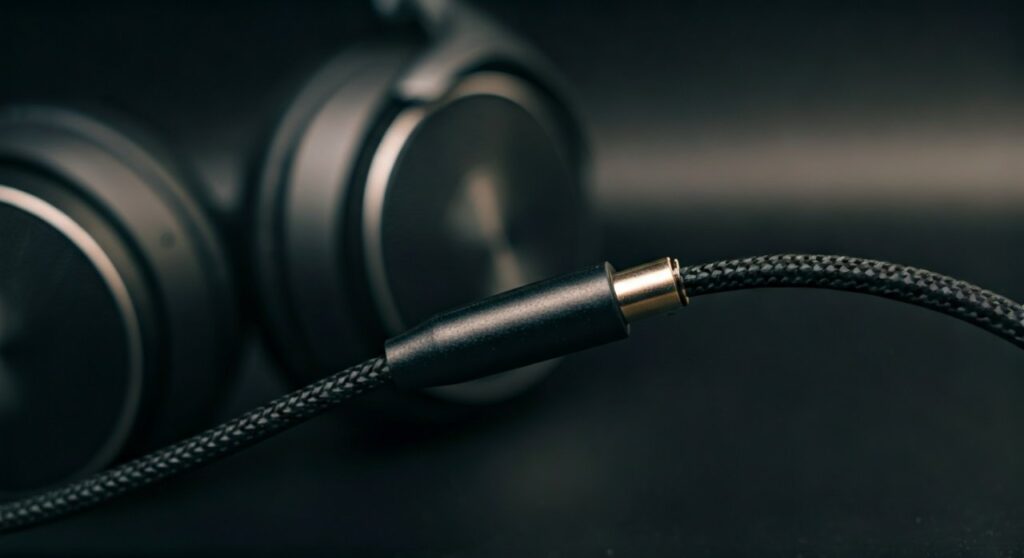
Whether you are dealing with a dead battery during a long flight or seeking to eliminate audio latency while gaming, converting your connection is a practical solution. While most high-end models from Sony, Bose, and Sennheiser support a “passive mode,” cheaper models without a physical port may require specialized adapters or hardware workarounds.
Key Takeaways
- Plug-and-Play: Most premium headphones feature a 3.5mm jack for instant wired use.
- Battery Life: Wired connections often allow “Passive Mode,” meaning the headphones work even when the battery is 0%.
- Audio Quality: Using a wire can provide higher bitrates and eliminate the compression found in Bluetooth codecs like SBC or AAC.
- Latency: A wired connection reduces lag to near zero, which is critical for professional video editing and competitive gaming.
- Compatibility: If your headphones lack a port, you can use a Bluetooth transmitter/receiver with a 3.5mm output to bridge the gap.
Why You Should Consider Switching to a Wired Connection
Even though we live in a wireless world, cables still offer undeniable technical advantages. As someone who has tested dozens of headsets in high-interference environments like trade shows, I can confirm that a physical tether is the only way to guarantee a stable signal.
Wireless signals are prone to interference from Wi-Fi routers, microwaves, and other 2.4GHz devices. By switching to a wired setup, you eliminate the risk of audio dropouts and “stuttering” that can ruin a deep listening session.
Furthermore, many professional Digital-to-Analog Converters (DACs) and Amps can only interface with your headphones via a cable. If you want to experience Lossless Audio on platforms like Apple Music or Tidal, a wired connection is usually mandatory.
Method 1: Using the Built-in 3.5mm Auxiliary Port
The most straightforward way to turn wireless headphones into wired is by using the 3.5mm (1/8″) port located on the ear cup. This is a standard feature on industry-leading models like the Sony WH-1000XM5 and the Bose QuietComfort 45.
Step-by-Step Instructions:
- Locate the small circular port on the bottom of one of the ear cups.
- Plug one end of a TRS (Tip-Ring-Sleeve) or TRRS (with microphone support) cable into the headphones.
- Connect the other end to your source device (laptop, phone, or airplane entertainment system).
- Determine if your headphones require power; some models still need to be “On” to use Active Noise Cancelling (ANC) even when wired.
Pro Tip on “Passive Mode”
I have found that some headphones sound significantly different when powered off (Passive Mode). Without the internal DSP (Digital Signal Processing), the bass might sound thinner, or the treble might become sharper. Always test your headphones in both “On” and “Off” states while wired to see which profile you prefer.
Method 2: Converting via USB-C or Lightning Ports
Many modern headphones, such as the Sennheiser Momentum 4 or Beats Studio Pro, support USB Audio. This allows the charging port to act as a high-fidelity data input, effectively turning the headphones into a wired USB device.
How to use USB Audio:
- Use a high-quality USB-C to USB-C or USB-C to Lightning cable.
- Connect the headphones directly to your smartphone or laptop.
- Go to your device’s Sound Settings and select the headphones as the “Output Device.”
- Check if your headphones support integrated DAC functionality, which can deliver up to 24-bit/96kHz audio quality.
This method is superior to the 3.5mm jack in some cases because it maintains a digital signal for longer. It also typically charges the headphones while you listen, solving the battery anxiety problem entirely.
Method 3: Using a Bluetooth Receiver (The Hardware Bypass)
If your wireless headphones do not have a 3.5mm port or a USB audio feature, you cannot easily “wire” them in the traditional sense. However, you can use a Bluetooth Receiver/Amplifier like the FiiO BTR5 or Qudelix-5K.
In this scenario, you aren’t plugging the headphones into the phone. Instead, you plug the FiiO BTR5 into your phone via USB, and then pair your headphones to the receiver. While technically still wireless between the receiver and the ears, this allows you to use high-end external DACs and gain more control over the sound.
Comparison of Wired Conversion Methods
| Feature | 3.5mm Aux Cable | USB-C Audio | Bluetooth Receiver |
|---|---|---|---|
| Setup Ease | Extremely Easy | Easy | Moderate |
| Audio Latency | Zero | Near-Zero | Dependent on Codec |
| Sound Quality | High (Analog) | Very High (Digital) | Good (Compressed) |
| Battery Needed? | Often No | No (Charges) | Yes |
| Compatibility | Universal | Modern Devices | Any Bluetooth Device |
Technical Benefits: Latency and Bitrate Explained
When you ask, “can you turn wireless headphones into wired,” the underlying motivation is often performance. Bluetooth technology uses “lossy” compression. Even advanced codecs like LDAC or aptX Adaptive cannot perfectly replicate the raw data transmission of a copper wire.
Latency is another critical factor. Standard Bluetooth has a lag of about 100ms to 300ms. In a fast-paced game like Call of Duty or Valorant, this delay means hearing a footstep after the enemy has already passed. A wired connection reduces this to less than 5ms, providing a significant competitive advantage.
Can You Add a Port to Headphones That Lack One?
For budget-friendly headphones (like older Skullcandy or generic brands) that lack a physical jack, the only way to make them wired is through internal modification. This involves opening the ear cup and soldering a 3.5mm female jack directly to the speaker driver leads.
Warning: This will void your warranty and requires specialized tools. I only recommend this for “tinkerers” who have experience with a soldering iron. If you attempt this, ensure you use a switched jack so the internal Bluetooth battery is disconnected when the cable is inserted, preventing electrical shorts.
Expert Tips for the Best Wired Experience
To get the most out of your newly wired setup, consider these professional recommendations:
- Use Shielded Cables: Cheap cables can pick up EMI (Electromagnetic Interference). Look for cables with gold-plated connectors and braided shielding.
- Mind the Impedance: Most wireless headphones have low impedance (usually 32 Ohms), meaning they are easy to drive. You don’t need a powerful amp, but a clean Dongle DAC (like the Apple USB-C Dongle) will sound better than a standard laptop jack.
- Check the Microphone: If you want to use the mic while wired, you need a 4-pole TRRS cable. Standard 3-pole cables will only transmit audio, leaving your microphone disabled.
Troubleshooting Common Connection Issues
Sometimes, plugging in a cable doesn’t work as expected. Here are the most common fixes I’ve applied during my testing:
- No Sound in One Ear: This is usually due to the cable not being pushed in all the way. Many headphones have deep, recessed ports that require a “click” to fully seat.
- Static or Crackling: Clean the jack with a small amount of isopropyl alcohol on a cotton swab. Dust buildup in the port is a common culprit for poor analog connections.
- Volume is Too Low: If your headphones are in “Passive Mode,” they aren’t using their internal amp. You may need to turn the volume up higher on your source device than you usually do.
FAQs
Can I turn my AirPods into wired headphones?
No, Apple AirPods (all generations) and AirPods Pro do not have a physical input port. The AirPods Max, however, can be used in a wired configuration if you purchase the official Apple Lightning to 3.5mm Audio Cable.
Does wiring wireless headphones improve the mic quality?
Usually, no. In many wireless models, the built-in microphone only works over Bluetooth. When you plug in a 3.5mm cable, the internal mic is often bypassed. You would need a cable with an in-line microphone to speak while wired.
Will my headphones charge while using the 3.5mm jack?
Generally, no. The 3.5mm jack is a purely analog connection and does not carry enough current to charge a battery. If you want to listen and charge simultaneously, you must use the USB-C Audio method.
Is the sound better with a cable?
Yes, for most users. A wired connection avoids the data compression required by Bluetooth. If you are listening to FLAC files or high-res streams, the difference in clarity and “soundstage” is often noticeable to the trained ear.
Can I use a wired connection if the battery is completely dead?
It depends on the model. Most “audiophile” wireless headphones support a Passive Mode that works with zero battery. However, some “DSP-heavy” headphones require a small amount of power to function at all, even when wired.









