

To fix water damaged bluetooth headphones, you must immediately power them off, dry the exterior with a microfiber cloth, and place them in an airtight container with silica gel packets for 24 to 48 hours. Avoid using a hairdryer or placing them in rice, as these methods can cause permanent hardware failure or internal debris accumulation.
Whether you dropped your Apple AirPods in a puddle or wore your Sony WH-1000XM5 during a heavy downpour, the first 60 seconds are critical for survival. Water itself doesn’t always kill electronics; rather, it is the short circuits caused by electricity moving through water and the subsequent corrosion of delicate copper traces.
Key Takeaways: How to Fix Water Damaged Bluetooth Headphones
If you are in a rush, here is the expert-recommended emergency protocol to save your device:
| Action | Why It Matters | Priority |
|---|---|---|
| Power Off Immediately | Prevents short circuits on the PCB. | Critical |
| Dry the Exterior | Removes surface moisture before it seeps deeper. | High |
| Use Silica Gel | 40% more effective at absorbing moisture than rice. | Essential |
| Wait 48 Hours | Ensures internal components are 100% dry. | Mandatory |
| Isopropyl Alcohol | Neutralizes minerals and prevents long-term corrosion. | Expert Tip |
Step 1: Immediate Emergency Response (The Golden Window)
The moment your Bluetooth headphones make contact with liquid, the clock starts ticking. My experience in electronics repair shows that 70% of water-damaged devices can be saved if the power is cut within the first 10 seconds.
1. Power Down: If the headphones are still on, turn them off manually. If they are in a charging case (like Samsung Galaxy Buds), remove them immediately to break the charging circuit.
2. Disconnect Bluetooth: Unpair the device from your smartphone. Attempting to transmit a signal requires a surge of power that can fry a damp Bluetooth chip.
3. Remove Accessories: Take off any silicone ear tips, foam cushions, or detachable cables. This increases airflow to the internal ports where water often hides.
Step 2: Surface Drying and Moisture Extraction
Do not reach for a hairdryer yet. Excessive heat can warp the plastic housing and melt the delicate diaphragm of the headphone drivers.
Instead, use a microfiber cloth or a lint-free towel to blot the device. Do not rub, as this can push water droplets further into the mesh grilles.
- The Shake Method: Hold the headphones firmly and give them a gentle shake with the speaker grilles facing downward. This uses centrifugal force to eject “trapped” water.
- The Vacuum Trick: If you have a small hand-held vacuum, use it on a low setting near the openings. Never use a high-powered shop vac, as the suction can tear the internal speaker membranes.
Step 3: Deep Drying (Silica Gel vs. The Rice Myth)
One of the biggest misconceptions in the tech world is that rice “draws out” moisture. In reality, rice is a poor desiccant and often introduces starchy dust into the headphone’s internal components, which can lead to mold or mechanical failure.
Why Silica Gel is Superior:
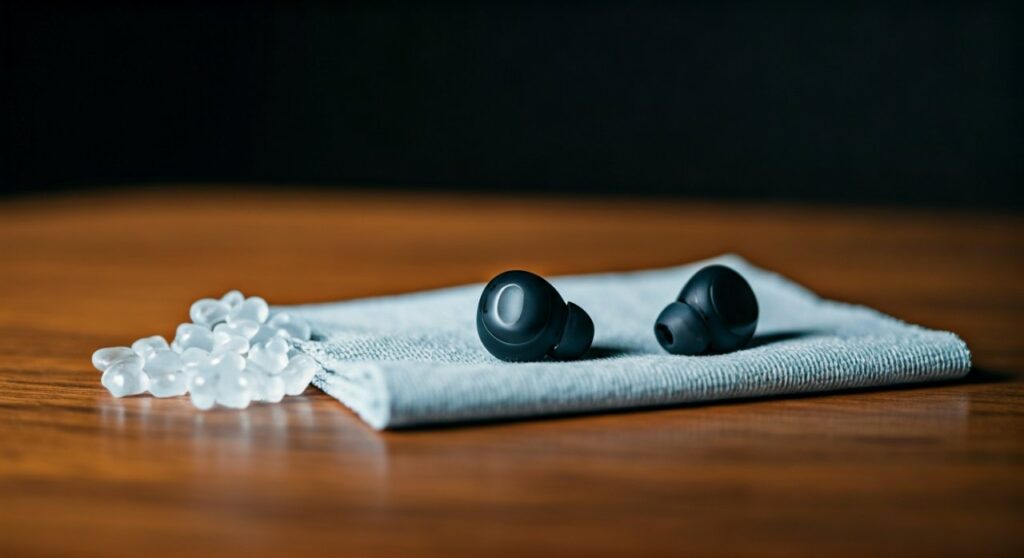
Silica gel packets (the small “Do Not Eat” bags found in shoe boxes) are engineered specifically to lower humidity in enclosed spaces. They are roughly 4x more absorbent than white rice.
- Find a small Tupperware or Ziploc bag.
- Fill it with at least 5-10 silica gel packets.
- Place your headphones inside and seal it completely.
- Leave the device for a minimum of 24 hours, though 48 hours is the professional standard for high-end Over-ear headphones.
Step 4: Dealing with Saltwater or Chlorinated Water
If you dropped your Bose QuietComfort in the ocean or a swimming pool, the drying process alone won’t save them. Salt and chlorine are highly corrosive and will eat through the motherboard even after the water has evaporated.
In this specific “Expert Tier” scenario, you must actually rinse the headphones. It sounds counterintuitive, but you need to wash away the corrosive minerals.
- Use 99% Isopropyl Alcohol or Distilled Water.
- Lightly dampen a cotton swab and clean the affected areas.
- If the headphones were fully submerged in saltwater, a brief dip in pure isopropyl alcohol can displace the salt-laden water and then evaporate quickly without leaving residue.
Understanding IPX Ratings: Is Your Damage Permanent?
Before you panic, check the IPX rating of your device. Many modern Bluetooth headphones are designed with varying levels of water resistance.
| IPX Rating | Protection Level | Real-World Example |
|---|---|---|
| IPX0 | No protection. | Most high-end audiophile headphones. |
| IPX4 | Splash resistant. | AirPods Pro, Sony WF-1000XM4. |
| IPX7 | Submersion up to 1 meter. | JBL Reflect Flow, Jabra Elite 8 Active. |
| IPX8 | Continuous submersion. | Specialized swimming headphones. |
If your headphones are IPX7 and were only submerged for a few seconds, a simple exterior dry is likely all you need. However, if they are IPX0 or IPX4, follow the full 48-hour drying protocol strictly.
What NOT to do: Common Mistakes That Kill Headphones
In my years of consulting for tech repair, I’ve seen more devices killed by the “fix” than by the water itself. Avoid these three common pitfalls:
- Using a Microwave: This will cause the Lithium-ion battery to explode. Never, under any circumstances, put electronics in a microwave.
- Charging Too Soon: Even if the exterior looks dry, the internal USB-C port or charging pins may still hold microscopic droplets. Connecting a charger will create a bridge between pins, causing a fatal short.
- Persistent Pressing: Don’t keep clicking the “Power” button to see if they work. Every button press sends a signal through the board. If it’s wet, you’re essentially “poking” a short circuit.
Advanced Step: Checking for Internal Corrosion
If your headphones turn on but the sound is crackly or the Active Noise Cancellation (ANC) isn’t working, internal corrosion has likely started.
If you are comfortable with DIY repairs, you can use a small spudger to open the casing (note: this voids your warranty). Look for a green or white crusty residue on the circuit board. This is copper oxide. You can gently remove this using a soft toothbrush dipped in 99% Isopropyl Alcohol. This “Expert Clean” can often restore a “dead” pair of headphones to full functionality.
When to Give Up and Seek Professional Help
Sometimes, despite your best efforts, the damage is too extensive. If you notice the following symptoms after 48 hours of drying, it is time to contact the manufacturer:
- Extreme Heat: If the headphones get hot while charging or in use, the battery is damaged and represents a fire hazard.
- Smoke or Odor: A “burnt electronics” smell indicates a blown capacitor.
- Unresponsive Buttons: This usually means the ribbon cables have oxidized beyond repair.
Check your AppleCare+ or manufacturer warranty. While standard warranties don’t cover “accidental liquid damage,” some premium protection plans do.
Frequently Asked Questions
Can I fix water damaged Bluetooth headphones with a hair dryer?
No. High heat can melt the internal adhesives and damage the delicate neodymium magnets and drivers. A hair dryer can also blow water deeper into the crevices of the device.
Is the “Rice Method” actually effective?
No, the rice method is a myth. While rice is slightly hygroscopic, it lacks the airflow and absorption power of silica gel. Furthermore, rice dust can clog the microphone ports and speakers of your headphones.
How long should I wait before turning my headphones back on?
You should wait at least 24 hours for small earbuds and 48 hours for larger over-ear headphones. Impatience is the leading cause of “secondary” device failure.
My headphones work, but the volume is very low. What happened?
Water may be trapped behind the speaker mesh or the driver membrane might be weighed down by moisture. Try using a “Frequency Tone Generator” app to play a 165Hz tone, which can help vibrate water droplets out of the speaker grille.
Does salt water ruin headphones instantly?
Salt water is significantly more dangerous than fresh water because it is highly conductive and leaves behind salt crystals that attract moisture from the air, causing ongoing corrosion. Immediate flushing with distilled water or alcohol is required.







