

Is Mixing With Headphones Bad? The Definitive Answer
Mixing with headphones is not bad; in fact, it has become a professional standard for many top-tier engineers working in untreated environments. While traditionalists argue that studio monitors provide a more accurate “phantom center” and physical impact, modern high-end headphones combined with calibration software allow for incredible precision that bypasses poor room acoustics.
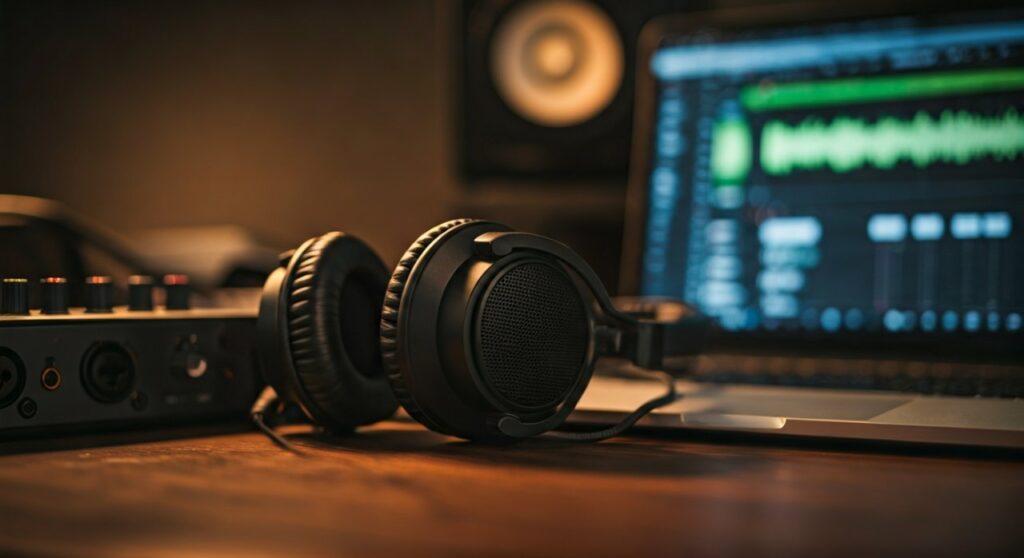
The “danger” of headphone mixing stems from ear fatigue and an exaggerated stereo image, but these can be easily mitigated with the right workflow. If you are working in a home studio without thousands of dollars in acoustic treatment, mixing with headphones is often objectively better than mixing on monitors in a “dishonest” room.
Key Takeaways: Mixing on Headphones in 2024
If you are in a rush, here is the essential breakdown of whether you should ditch the monitors:
- Accuracy: Headphones eliminate room reflections and standing waves, providing a “pure” look at your frequency response.
- Portability: You can achieve a consistent mix environment anywhere, from a coffee shop to a hotel room.
- The “Crossfeed” Issue: Headphones lack the natural bleed between ears that speakers provide, which can lead to over-panning or incorrect reverb levels.
- Essential Tools: Using Sonarworks SoundID Reference or Waves NX can simulate a real room environment to fix “inside-the-head” imaging.
- The Verdict: It is best used as a primary tool for detail work and a secondary tool for final translation checks.
Why the Myth of “Bad” Headphone Mixing Exists
For decades, the industry standard was the “triangle setup” of studio monitors. The belief that mixing with headphones is bad originated from three primary technical limitations that early headphones suffered from.
The Lack of Natural Crossfeed
When you listen to speakers, your right ear hears the left speaker a few milliseconds later and at a lower volume. This is called crossfeed. Headphones isolate the channels completely. This lack of natural “leakage” often tricks engineers into making the stereo spread too wide or adding too much reverb because the “space” feels artificial.
The Fletcher-Munson Curve and Ear Fatigue
The human ear responds differently to sound pressure levels when the source is clamped directly to the skull. In my experience, engineers tend to mix louder on headphones to “feel” the bass. This triggers the Fletcher-Munson Curve, where our brain perceives more lows and highs than are actually there, leading to a “hollow” or mid-heavy mix when played back on speakers.
Missing Physical Sub-Bass
You don’t just hear a kick drum; you feel it in your chest. On headphones, you lose the physical sensation of air moving. This often leads to “over-compressing” the low end or boosting the sub-bass to an level that will distort a club system.
The Pro-Level Advantages of Mixing on Headphones
Despite the challenges, many Grammy-winning engineers like Andrew Scheps (Adele, Red Hot Chili Peppers) have moved almost exclusively to “mixing in the box” with headphones. Here is why it works:
Bypassing Terrible Room Acoustics
Most home studios are in square bedrooms with parallel walls. This creates standing waves and bass buildup. You might think your mix has too much bass, but it’s actually just your room resonating. Headphones remove the room from the equation entirely, giving you a flat, honest representation of the audio file.
Extreme Detail Retrieval
Headphones act like a microscope. They are far superior to monitors for:
- Cleaning up clicks and pops in vocal tracks.
- Checking reverb tails and delay decays.
- Fine-tuning compression attack times that might be missed in a noisy room.
Headphones vs. Studio Monitors: A Direct Comparison
| Feature | Studio Monitors | Professional Headphones |
|---|---|---|
| Frequency Accuracy | High (in a treated room) | High (with calibration) |
| Stereo Imaging | Natural / 3D | Linear / Wide |
| Portability | Zero | High |
| Cost to Set Up | $1,000+ (incl. treatment) | $300 – $500 |
| Ear Fatigue | Low | Moderate to High |
| Detail Perception | Moderate | Extreme |
How to Mix on Headphones: A Step-by-Step Guide
To ensure your headphone mixes “translate” (sound good on all systems), follow this professional workflow.
Step 1: Choose the Right Type of Headphones
Not all headphones are created equal. For mixing, you generally have two choices:
- Open-Back Headphones: These allow air to pass through the ear cups (e.g., Sennheiser HD600, Beyerdynamic DT 1990 Pro). They provide the most natural soundstage and reduce pressure buildup.
- Closed-Back Headphones: These are for tracking (recording) to prevent bleed into the mic (e.g., Audio-Technica ATH-M50x). Avoid mixing exclusively on these as they tend to exaggerate bass.
Step 2: Use Calibration Software
No headphone is perfectly flat. I highly recommend using Sonarworks SoundID Reference. This plugin sits on your master bus and “corrects” the frequency response of your specific headphone model to be 100% neutral.
Step 3: Implement Room Modeling Plugins
To fix the “crossfeed” issue mentioned earlier, use a spatial head-tracking plugin.
- Waves NX or CanOpener Studio by Goodhertz can simulate the acoustics of a high-end mixing room.
- This makes the sound feel like it is coming from “in front” of you rather than “inside” your ears, leading to much better panning decisions.
Step 4: Mix at Low Volumes
To combat ear fatigue and the Fletcher-Munson effect, keep your volume around 70-75 dB. If you can’t have a conversation over your music, it’s too loud. High volume on headphones will fry your ears’ ability to judge high frequencies within 30 minutes.
Step 5: The “Phone Speaker” Check
Since you are missing the physical “room feel,” you must verify your mix on a mono source. Check your mix on an iPhone speaker or a MixCube. If the balance of the vocal and snare stays consistent, your headphone mix is solid.
Expert Tips for Success
Based on my years of transitioning between professional studios and mobile setups, here are three “pro secrets” for headphone mixing:
- The 80/20 Rule: Do 80% of your heavy lifting (EQ, compression, editing) on headphones. Save the final 20% (level balancing and panning) for a 30-minute session on speakers if possible.
- Use Reference Tracks: Always keep a professionally mixed song in your session. Toggle between your mix and the reference. If the reference sounds “dark” on your headphones, you know not to boost too much high-end in your own track.
- Take “Silence Breaks”: Every 45 minutes, take off the headphones for 5 minutes. Ear fatigue on headphones happens 2x faster than on monitors.
Frequently Asked Questions (FAQs)
Is it possible to get a professional mix only using headphones?
Yes. With modern calibration software and open-back headphones, many professionals deliver radio-ready mixes without ever turning on a pair of speakers.
Which are better for mixing: Sennheiser or Beyerdynamic?
Both are industry leaders. The Sennheiser HD600/650 series is known for its mid-range clarity, while the Beyerdynamic DT 880/990 series offers more detailed highs and lows. It comes down to personal preference and comfort.
Will mixing on headphones hurt my ears?
Only if you mix at high volumes. Because the driver is closer to your eardrum, the risk of Tinnitus is higher. Always use a decibel meter or keep your interface volume at a consistent, low level.
Why does my mix sound different in the car than in my headphones?
This is usually due to the lack of crossfeed or bass buildup in your headphones. Using a room-simulating plugin like dsoniq Realphones can help your mixes translate better to car stereos.
Are wireless or Bluetooth headphones okay for mixing?
No. Bluetooth headphones (like AirPods or Sony WH-1000XM5) use compression algorithms that degrade audio quality and introduce latency (delay), making it impossible to time-align tracks accurately. Always use a wired connection.







