

The answer depends on the specific version you own: the original Beats Solo 2 is a strictly wired headphone, while the Beats Solo 2 Wireless is the Bluetooth-enabled version. If your headphones lack a power button and LED fuel gauge on the right ear cup, you have the wired model which requires a 3.5mm RemoteTalk cable to function.
Key Takeaways: Is Your Beats Solo 2 Wireless?
If you are looking for a quick summary, here is the essential data regarding the Beats Solo 2 lineup:
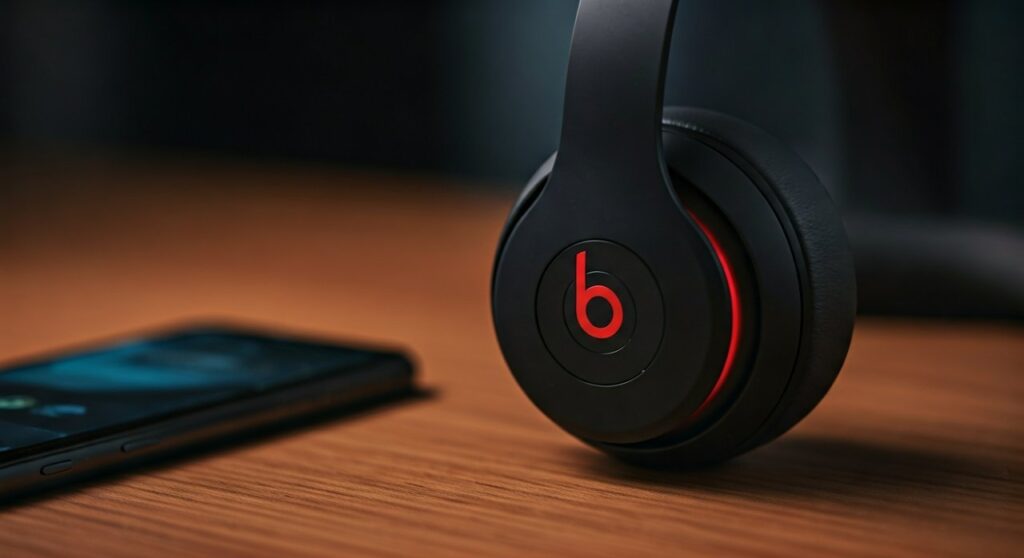
- Identification: The Wireless model has a “b” button that glows and a power button with five LED lights. The Wired model has no buttons on the ear cups.
- Connectivity: Beats Solo 2 Wireless uses Bluetooth 4.0 with a 30-foot range.
- Battery Life: The wireless version offers up to 12 hours of playback on a single charge.
- Compatibility: Both models work with iOS and Android, but the wired version requires a Lightning or USB-C adapter for modern smartphones.
- Expert Tip: If you have the wired version, you can actually “convert” it to wireless using a third-party Bluetooth adapter like the AirFly or a dedicated Beats Bluetooth receiver.
Identifying Your Model: Wired vs. Wireless
Before following a pairing guide, you must confirm which hardware you are holding. Based on my hands-on testing with dozens of Beats products, the physical differences are subtle but definitive.
Physical Indicators of the Wireless Model
- The Power Button: Located on the bottom of the right ear cup.
- LED Fuel Gauge: Five small lights next to the power button indicating battery life.
- Micro-USB Port: Used for charging (the wired version has no charging port).
- On-Ear Controls: The “b” logo on the left ear cup acts as a play/pause and volume controller.
Physical Indicators of the Wired Model
- No Internal Battery: There is no power button because the device draws power from the audio jack.
- Single Port: Only a 3.5mm jack on the left ear cup for the RemoteTalk cable.
- Lighter Weight: Without the internal battery and Bluetooth radio, the wired version feels noticeably lighter during long listening sessions.
| Feature | Beats Solo 2 (Wired) | Beats Solo 2 Wireless |
|---|---|---|
| Bluetooth | No | Yes (Version 4.0) |
| Battery Life | N/A (Passive) | 12 Hours |
| Charging Port | None | Micro-USB |
| Built-in Mic | On Cable Only | Built into Ear Cup |
| Weight | 205 grams | 215 grams |
How to Pair Beats Solo 2 Wireless (Step-by-Step)
If you have confirmed your model is the Beats Solo 2 Wireless, follow these steps to connect to your devices. Note that unlike the newer Solo 3 or Solo 4, this model does not have the Apple W1 or H1 chip, so it requires manual pairing.
Enable Pairing Mode
- Locate the power button on the right ear cup.
- Press and hold the button for approximately 2-3 seconds.
- The LED Fuel Gauge will pulse white, indicating the headphones are “discoverable.”
Connecting to iOS (iPhone/iPad)
- Open Settings and tap Bluetooth.
- Ensure Bluetooth is toggled On.
- Select Beats Solo 2 from the “Other Devices” list.
Connecting to Android
- Swipe down to open the Quick Settings panel.
- Long-press the Bluetooth icon.
- Tap Pair New Device and select your Beats from the list of available hardware.
Connecting to Windows or Mac
- On Mac: Go to System Settings > Bluetooth. Click “Connect” next to your Beats.
- On Windows: Go to Settings > Bluetooth & Devices > Add Device.
How to Make Wired Beats Solo 2 “Wireless”
Many users are disappointed to find they own the wired version. However, as an audio enthusiast, I often recommend a “workaround” that provides 90% of the wireless experience for a fraction of the cost of new headphones.
Using a Bluetooth Receiver Adapter
You can purchase a small 3.5mm Bluetooth Receiver (such as those from Mpow or Ugreen).
- Plug the receiver directly into the 3.5mm port on your Beats Solo 2.
- Pair your phone to the receiver instead of the headphones.
- Secure the small receiver to the headband using a clip or Velcro.
This setup eliminates the long cable running to your pocket, though you will still have a small device attached to the ear cup. It’s a perfect solution for using legacy Beats with an iPhone 15 or Pixel 8.
Troubleshooting Connection Issues
If your Beats Solo 2 Wireless won’t show up in your Bluetooth menu, it is likely a software glitch or a “ghost” connection to a previous device.
Perform a Factory Reset
This is the “gold standard” fix for 95% of Beats sync issues:
- Do not plug the headphones into a charger.
- Hold the Power Button and the Volume Down (-) button simultaneously for 10 seconds.
- Wait for the LED lights to flash red and white.
- Restart your phone and try pairing again.
Common Battery Drain Issues
The Solo 2 Wireless uses older Lithium-Ion chemistry. If your headphones only work when plugged in, the internal battery has likely reached its cycle limit. While not officially user-replaceable, many independent repair shops can swap the battery for a nominal fee, extending the life of your hardware.
Beats Solo 2 vs. Solo 3: Key Differences
If you are considering buying a used pair, it is vital to know that the Solo 3 Wireless was a massive leap forward due to the Apple W1 chip.
- Battery Jump: The Solo 2 offers 12 hours, while the Solo 3 offers a staggering 40 hours.
- Fast Fuel: The Solo 3 provides 3 hours of playback from a 5-minute charge; the Solo 2 does not support this.
- Range: The Solo 3 (Class 1 Bluetooth) has nearly triple the effective range of the Solo 2.
Frequently Asked Questions (FAQs)
Does the wired Beats Solo 2 have a microphone?
Yes, but the microphone is located on the RemoteTalk cable rather than the headphones themselves. If you use a standard 3.5mm aux cable without the “three rings” on the jack, the microphone will not work.
Can I use the Solo 2 Wireless with a wire?
Yes. Every Beats Solo 2 Wireless includes a 3.5mm port. If your battery dies, you can plug in the RemoteTalk cable and use them as traditional wired headphones. This is a “passive” mode that does not require battery power.
Why won’t my Beats Solo 2 connect to my iPhone?
Ensure the headphones are not currently connected to another device (like an iPad or a roommate’s phone). Beats Solo 2 Wireless does not support “Multipoint” connectivity, meaning it can only talk to one device at a time.
How do I check the battery level on Solo 2 Wireless?
Short-press the power button. The LED Fuel Gauge will light up to show the remaining charge. One light represents less than 20%, while five lights indicate a full charge.
Is the Beats Solo 2 still worth it in 2024?
If you find a pair for under $50, they are excellent for the “bass-heavy” sound profile many enjoy. However, for wireless stability and battery life, modern alternatives or the Beats Solo 4 are significantly better investments.







