To connect bass guitar to headphones, you must use an intermediate device such as a headphone amplifier, an audio interface, or a digital multi-effects pedal. Because bass guitars produce a low-level “instrument signal,” plugging headphones directly into the guitar’s jack using an adapter will result in almost no sound or extreme distortion.
Key Takeaways for Silent Bass Practice
If you are in a hurry, here is the fastest way to get your bass signal into your ears:
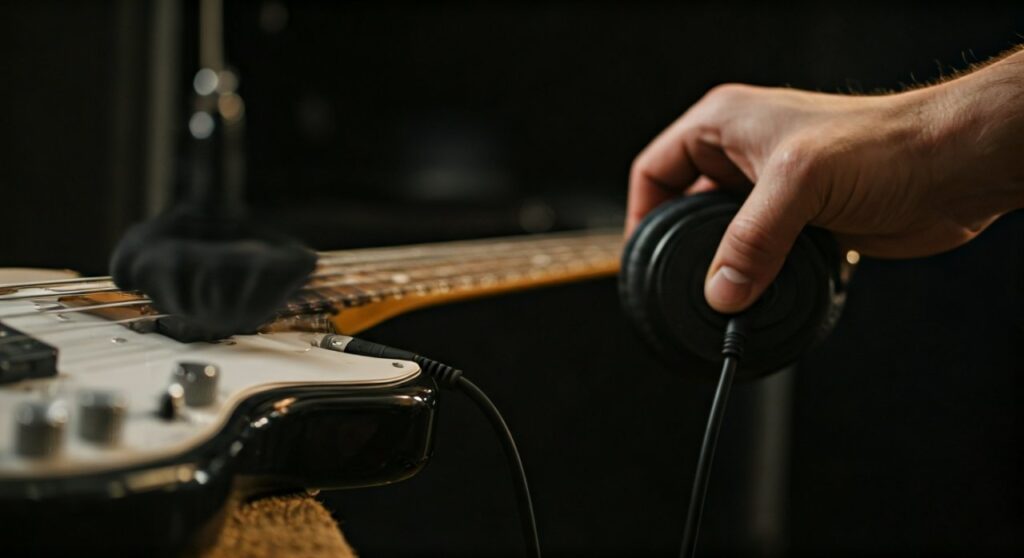
- Most Portable: Use a plug-in headphone amp (like the Vox amPlug 2 Bass) that fits directly into your guitar jack.
- Best for Recording: Use an audio interface (like the Focusrite Scarlett Solo) connected to your computer.
- Most Versatile: Use a multi-effects pedal (like the Zoom B1 Four) which includes built-in amp simulations and a dedicated headphone out.
- Essential Gear: You will need a standard 1/4-inch instrument cable and headphones with either a 3.5mm (1/8″) or 6.35mm (1/4″) plug.
- Pro Tip: Always turn the volume to zero before putting your headphones on to protect your hearing from “pop” sounds.
Why You Can’t Plug Headphones Directly Into a Bass
Many beginners assume a simple 1/4″ to 3.5mm adapter is all they need. However, the electronics inside a passive bass guitar do not have the power to drive the speakers inside a pair of headphones.
You need a preamp to boost the signal from “instrument level” to “line level” or “headphone level.” Without this boost, the signal is too weak to be audible. Additionally, headphones are usually stereo, while bass guitars are mono; without a dedicated device, you would likely only hear sound in one ear.
Method 1: Using a Dedicated Bass Headphone Amplifier
This is the most popular and “frictionless” method for bassists who want to practice anywhere. These tiny devices are roughly the size of a pager and plug directly into your bass.
Step-by-Step Setup:
- Plug the headphone amp (e.g., Fender Mustang Micro or Vox amPlug) into the output jack of your bass.
- Plug your headphones into the 3.5mm jack on the side of the device.
- Turn on the power switch.
- Adjust the Gain, Tone, and Volume dials to your preference.
- (Optional) Connect your phone via Bluetooth or AUX input to play along with backing tracks.
Why Experts Recommend This:
I have found that the Vox amPlug 2 Bass is a lifesaver for tour bus practice or late-night apartment living. It features a built-in “cabinet simulation,” which makes the bass sound like it’s coming through a massive 8×10 stack rather than a thin, tinny wire.
| Device Type | Portability | Sound Quality | Extra Features |
|---|---|---|---|
| Micro Amp | High | Good | Built-in rhythms/AUX in |
| Audio Interface | Low | Excellent | Recording & VST support |
| Multi-FX Pedal | Medium | Excellent | Hundreds of effects & Tuner |
| Desktop Amp | Medium | Great | Physical speakers + Phones |
Method 2: Connecting via an Audio Interface to a PC or Mac
If you want to record your practice sessions or use software like GarageBand, Ableton, or Logic Pro, an audio interface is the professional choice.
Step-by-Step Setup:
- Connect your audio interface (e.g., Focusrite Scarlett or PreSonus AudioBox) to your computer via USB.
- Plug your bass guitar into the Input 1 (Hi-Z or Instrument mode) using a standard shielded cable.
- Plug your headphones into the Headphone Jack on the front of the interface.
- If your headphones use a small 3.5mm plug, you may need a 1/4-inch TRS adapter.
- Turn on “Direct Monitoring” on the interface to hear your bass with zero latency (delay).
Important Technical Settings:
Make sure the “Gain” knob on your interface isn’t turning red. In my experience, bass transients can be very aggressive; keep your peaks in the “green to yellow” range on your DAW (Digital Audio Workstation) meters to avoid digital clipping, which sounds harsh and can damage your ears.
Method 3: Utilizing a Multi-Effects (Multi-FX) Pedal
Modern pedals like the Line 6 HX Stomp or the affordable Zoom B1 Four are essentially computers dedicated to bass tone. They almost always feature a high-quality headphone output.
How to Connect:
- Connect your bass to the Input of the pedal.
- Connect your headphones to the Output/Phones jack.
- Crucial Step: Ensure the “Cabinet Emulation” (IR) is turned on in your signal chain.
- Bass signals without a cabinet simulator sound “fizzy” and unpleasant through headphones.
Using a pedal like the Zoom B1 Four gives you access to a built-in drum machine and looper. Practicing with a drum beat is 10x more effective for developing your “pocket” than practicing in silence.
Method 4: Traditional Bass Amplifiers with Headphone Jacks
Most modern practice amps, such as the Fender Rumble 25 or the Orange Crush Bass 25, have a dedicated “Phones” jack.
Step-by-Step Setup:
- Plug your bass into the Input of the amplifier.
- Plug your headphones into the Phones jack.
- Observation: On most amps, plugging in headphones will automatically mute the main speaker.
- Adjust the Master Volume slowly. Some amps send a very hot signal to the headphone jack that can be much louder than the speaker output.
Pro Perspective on “Silent” Practice:
Even when using headphones, your bass strings still make a physical “clacking” sound. If you are in a room with a thin floor, your family might still hear the acoustic vibration of the strings. I recommend practicing on a rug to dampen the physical thud of your fingers hitting the strings.
Choosing the Right Headphones for Bass Guitar
Not all headphones are created equal for low-end frequencies. If you use cheap earbuds, the low “E” or “B” string will sound distorted or barely audible.
- Closed-Back Headphones: These are the gold standard. They prevent sound from leaking out and provide the best “seal” for bass response. The Audio-Technica ATH-M50x is a staple in my studio for this exact reason.
- Impedance Matters: If you use high-impedance “Audiophile” headphones (like Sennheiser HD600s), a small battery-powered headphone amp might struggle to make them loud enough. Stick to headphones between 32 and 80 ohms for the best results with mobile gear.
- Frequency Response: Look for headphones that go down to at least 20Hz. A 5-string bass’s low B string vibrates at approximately 31Hz. If your headphones cut off at 50Hz, you won’t “feel” the note.
Troubleshooting Common Connection Issues
Why is there a buzzing sound in my headphones?
This is usually caused by electronic interference or a ground loop. If you are using an audio interface, try unplugging your laptop’s power cable and running on battery. If the buzz goes away, you have a ground loop issue. Also, ensure you are using a shielded instrument cable, not a speaker cable.
Why do I only hear sound in one ear?
Bass guitars are Mono. If you are using an adapter to go from your bass to your headphones, you are sending a mono signal into a stereo plug. Using a dedicated headphone amp or audio interface fixes this by “cloning” the mono signal into both the left and right channels of your headphones.
Why is the sound distorted even at low volume?
Your Gain is likely too high. On an audio interface or multi-effects pedal, there are two volume controls: Input Gain and Output Volume. If the Input Gain is too high, the signal distorts before it even reaches your ears. Lower the Gain until the “Clip” light stops flashing, then raise the Output Volume to a comfortable level.
Frequently Asked Questions
Can I use Bluetooth headphones to practice bass?
I strongly advise against using standard Bluetooth headphones for live practice. Bluetooth technology has significant latency (delay). You will pluck the string, and you won’t hear the note until 100-200 milliseconds later. This makes it impossible to stay in time. Always use a wired connection or a specialized ultra-low latency wireless system like the Boss Waza-Air Bass.
Do I need a special cable to connect my bass to headphones?
No, you need a standard 1/4″ TS (Tip-Sleeve) instrument cable to connect your bass to the amp or interface. The headphones then plug into that device. You cannot use a cable that goes directly from your bass to your headphones without an active power source in between.
Is it safe to play bass through headphones for long periods?
Bass frequencies carry a lot of energy. Because you don’t “feel” the bass in your chest like you do with a real cabinet, you might be tempted to turn the volume up too high. To protect your hearing, keep the volume at a level where you could still hear someone speaking to you in the room.
What is the cheapest way to connect my bass to headphones?
The cheapest reliable method is a budget VOX amPlug 2 Bass or a similar “clone” from brands like Donner or Lekato. These typically cost between $25 and $50 and provide everything you need in one small package.